
Adobe InDesign Photo Grid
Continuing with the InDesign Tips by showing how to create a Photo Grid in InDesign.
You want to bring in more than one image into InDesign?
That’s easy, go to File >Place hold down control /command and mouse click on the selected images then go to the Open button
The cursor will now be loaded with the images and you can place and position them in the same way as a solo image
Photo Grid Shortcut
Once the images are loaded in the cursor (as above) hold down control /command + shift and drag out a grid
Frame Fitting Options
You can set Frame Fit options which save time and energy fitting the images to their frames. It means the frames will come in as set and there will be no need for you to adjust them at a later point.
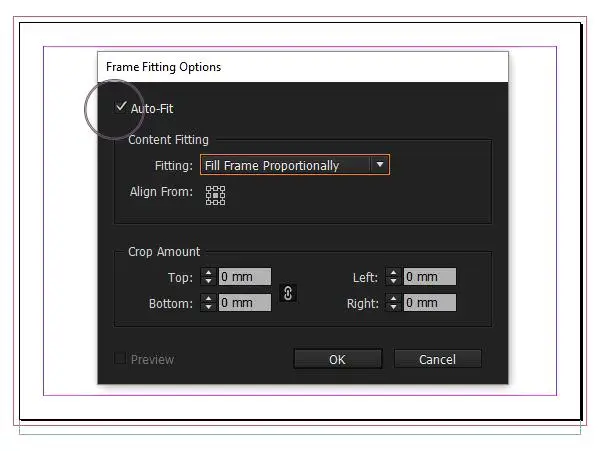
Firstly you need to go to the Object Menu >Fitting >Frame Fitting Options & Fill Frame Proportionally or whatever options you prefer for the grid
If you tick the Auto-Fit box (top left) the images will fill to frame whilst resizing.
Grid Spacing
Image Placement
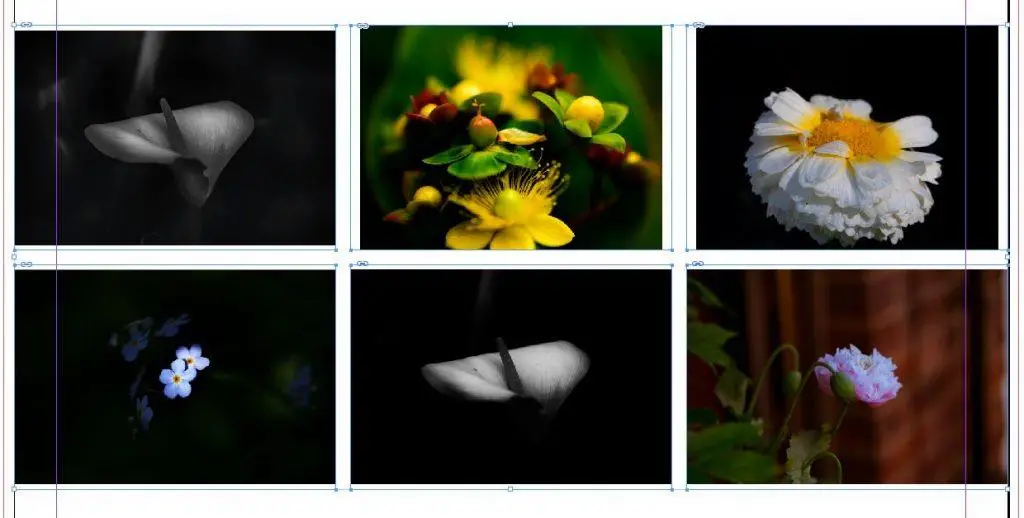
Go to File >Place – (in the example below I’ve set six images) select your images then click Open
Once back in the document Click & Drag the first Frame but continue to hold down the Mouse
Click on your Right Arrow to add columns
Click on the UP Arrow to add rows
To adjust the spacing between the Frames hold down the mouse button and Control /Command whilst clicking the Arrow Keys
Finally drag out the bottom right corner to adjust the grid sizing then release the mouse and the images will spring into the Frame
Want to Read more?

Switch from Adobe to Affinity
Can your company switch from Adobe to Affinity ? Switching from Adobe to Affinity? Why more organisations are questioning using

What Is Adobe Firefly and How Does It Work in Photoshop?
What is Adobe Firefly and how does it work in Photoshop? Adobe Firefly is changing how designers create images, graphics

How to Format a Book for Amazon KDP in Adobe InDesign
How to Format a Book for Amazon KDP in Adobe InDesign Formatting a book for Kindle Direct Publishing or IngramSpark