What is Adobe Firefly and how does it work in Photoshop?
Adobe Firefly is changing how designers create images, graphics and digital content using AI. Built directly into Photoshop, Firefly powers tools like Generative Fill, allowing you to add, remove or extend content using simple text prompts. But what exactly is Adobe Firefly, and how does it work in real-world Photoshop workflows?
What is Adobe Firefly?
Adobe Firefly is Adobe’s generative AI platform that allows you to create images, graphics and design elements using text prompts. It’s designed specifically for creative professionals and integrates with tools like Photoshop, InDesign and Adobe Express.
Unlike standalone AI tools, Firefly is built into the Adobe ecosystem, making it easy to generate and refine content within your existing design workflow.
For instance did you know that Firefly supports hundred plus languages for text prompts with great professional results easily integrated into creative workflows.
Is Adobe Firefly free?
To a degree, Adobe Firefly offers a free plan with limited generative credits, allowing access to its core AI features such as text-to-image and some video generation for personal use.
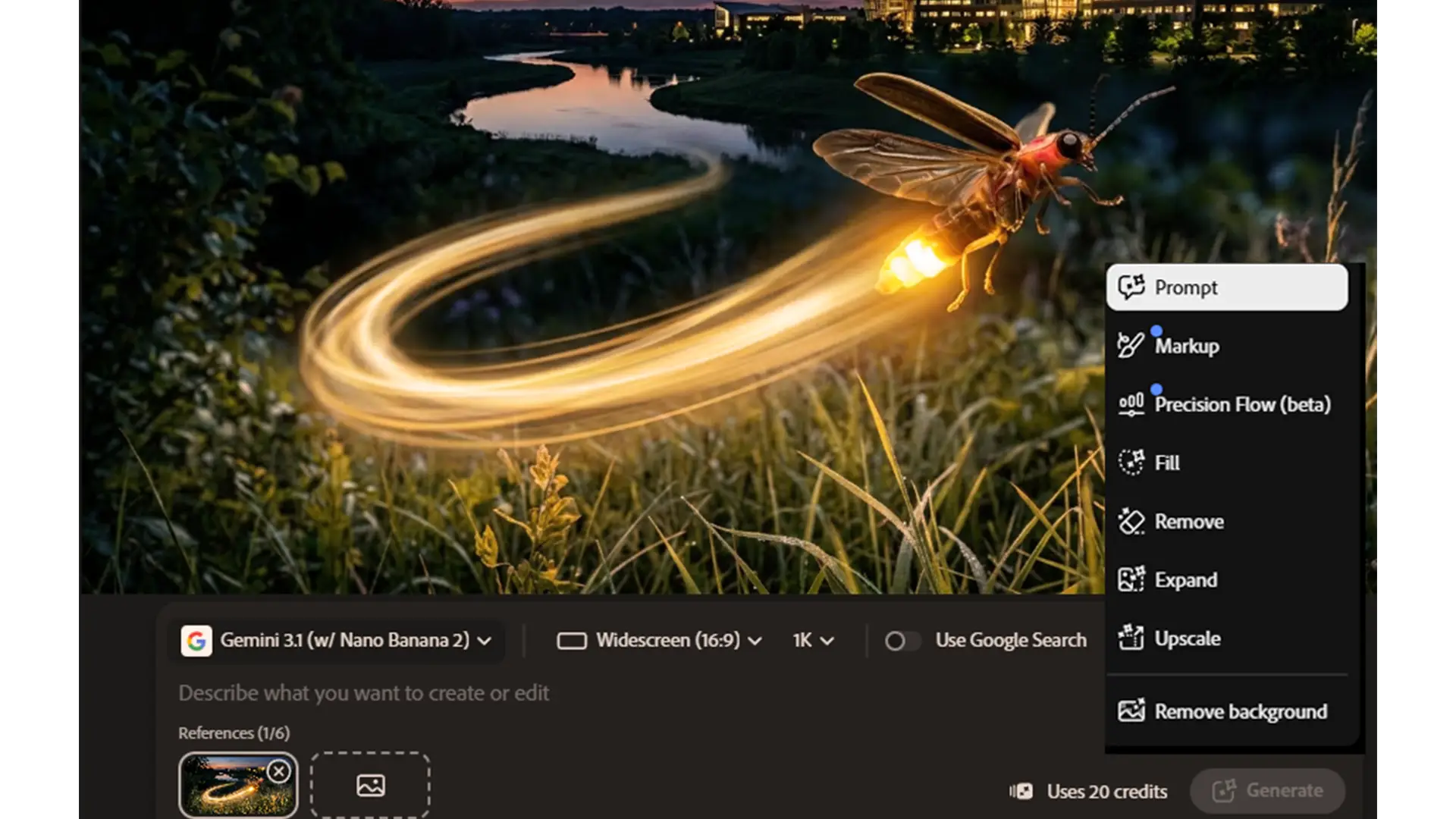
For more extensive use, higher credit limits, premium features (like Text-to-Video and partner models such as Google Nano Banana) plus seamless integration with other Adobe apps, paid plans are available.
Firefly Standard, Pro, or Premium otherwise it’s included with the Adobe Creative Cloud plan
How does Adobe Firefly work in Photoshop?
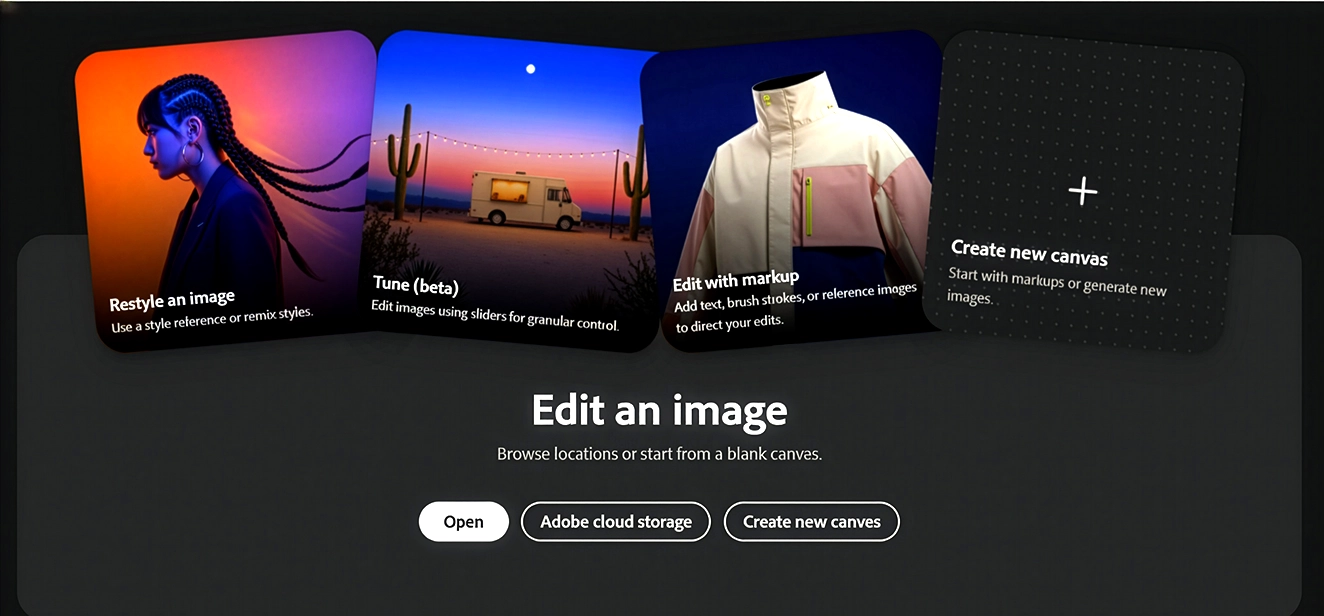
In Photoshop, Adobe Firefly powers AI tools such as Generative Fill and Generative Expand, allowing you to edit and create content faster than ever before.
For example:
Generative Fill
Add new elements to an image with a simple text prompt, e.g., “add a modern city skyline in the background.”
Remove unwanted objects like clutter, distractions, or outdated visuals in seconds.
Replace or enhance parts of your design, such as changing textures or backgrounds to match your brand’s style.
Firefly ensures the new content blends naturally, so your final image still looks polished and professional.
Generative Expand
Extend images beyond their original borders, ideal for resizing content for banners, social media, or websites.
Create wider compositions without losing quality or breaking perspective.
Perfect for creating multiple design variations quickly, allowing you to explore ideas without restarting your design from scratch.
By combining these features with Photoshop’s traditional tools, Firefly gives you full creative control while accelerating your workflow.
What can you create with Firefly in Photoshop?
The possibilities with Firefly are just about endless. It allows you to quickly generate professional-quality content for multiple purposes, including:
Social media graphics: produce eye-catching posts that fit each platform’s format.
Marketing visuals: create banner ads, promotional images, and campaign visuals in minutes.
Product mockups: showcase variations, backgrounds, or packaging with realistic detail.
Background extensions and enhancements: expand images to fit new layouts without manual editing.
Concept artwork and Firefly Boards: rapidly prototype ideas or visual storytelling elements.
Multiple design variations: generate different options and iterate quickly to find the perfect design.
By using Firefly in Photoshop, you can save hours on repetitive tasks, focus on higher-level creative decisions, and produce more polished results in less time.
Why Photoshop AI tools are transforming design workflows
Designers, marketers, and content creators are adopting Photoshop AI tools for one simple reason: they dramatically improve speed, creativity, and flexibility.
Speed: Tasks that previously took hours, like background replacement or content expansion, can now be done in minutes.
Creativity: Firefly allows you to instantly explore multiple design directions, helping you test ideas and push boundaries without starting from scratch.
Efficiency: By automating repetitive editing tasks, you can focus on the most important creative decisions, freeing time for more projects.
Flexibility: Firefly works seamlessly across Photoshop, InDesign, and Adobe Express, making it easy to adapt designs for social media, web, print, or any format.
Essentially, Firefly doesn’t replace creativity, it amplifies it, giving professionals the tools to do more, faster, and better.
Do you need training to use Adobe Firefly?
While Adobe Firefly is intuitive, getting consistent, professional results requires understanding how to craft prompts, refine outputs, and integrate AI into real workflows. Without guidance, you may end up spending extra time correcting results or not using Firefly’s full potential.
That’s why structured training is so valuable. With the right guidance, you’ll learn to:
Write effective prompts for precise results
Integrate Firefly with Photoshop and InDesign workflows
Refine generated content to match branding and design standards
Leverage AI for marketing, social media, or product design efficiently
Professional Firefly training transforms the software from a “cool tool” into a professional workflow accelerator.
Learn Adobe Firefly and Photoshop AI Tools
If you want to unlock the full potential of Adobe Firefly, our generative AI training course is designed for creative professionals, teams, marketers,designers and all content creators.
You’ll get hands-on experience with:
Generative Fill and Expand in Photoshop
AI-powered workflows for design, marketing, and content creation
Real-world projects to apply your skills immediately
You can also explore our Photoshop AI training, which looks at generative fills /expand, neural filters, effective prompts, compositing, remove tool and integrating complete with Firefly to giving you the complete toolkit for AI-powered design.
How Photoshop works partner models including Googles Nano Banana, Flux and how Nano Banana got its name
The future of Adobe Firefly
Adobe Firefly is rapidly becoming an essential part of the modern designer’s toolkit. When used effectively within Photoshop, it enables professionals to work faster, experiment more, and produce high-quality content with less effort. Learning to use Firefly intelligently is not just a nice-to-have skill it’s a competitive advantage for anyone in design, marketing, or content creation.
Want to Read more?

Switch from Adobe to Affinity
Can your company switch from Adobe to Affinity ? Switching from Adobe to Affinity? Why more organisations are questioning using

How to Format a Book for Amazon KDP in Adobe InDesign
How to Format a Book for Amazon KDP in Adobe InDesign A short article on Formatting Books for Amazon KDP

“Boost Creativity & Productivity with Photoshop Generative Fill, Google Nano & Flux”
Unleashing Creativity with AI: Photoshop Generative Fill & Google Nano Book Photoshop AI Training Scheduled Photoshop Intro Course Adobe Firefly