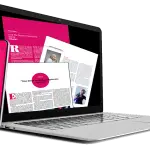
Newsletter Design Training (Adobe InDesign /Affinity Publisher)
Newsletter Design Training
Adobe InDesign & Affinity Publisher
Create professional, easy‑to‑update newsletter templatenewsletters using the tools you already have perfect for charities, councils, corporate teams and community organisations.
What you’ll learn on the Newsletter Design Course
Most teams are finding that their old newsletter tools no longer fit the way they work. With Microsoft Publisher being retired and communication needs changing, organisations are looking for simple, reliable ways to create clear, professional newsletters they can update quickly whether that’s in Affinity Publisher or Adobe InDesign. My training is designed to help you move smoothly into a modern workflow using the tools you already have.
Choosing your next newsletter software.
Both Affinity Publisher (Affinity Layout) and Adobe InDesign give you the tools to create clear, professional newsletters for business, charities and community projects. Each offers strong layout features, reliable text control and the ability to produce consistent multi‑page documents.
The key is choosing the tool that fits your organisation’s way of working. Some teams prefer Affinity Publisher for its simplicity, none subscription model and beginner‑friendly interface. Others choose Adobe InDesign for its advanced layout options and Creative Cloud integration.
If your organisation has previously used Microsoft Publisher then either Affinity Publisher or Adobe InDesign will feel like a natural next step but this is only one part of the picture. Most teams simply want a tool that’s easy to learn, easy to maintain and helps them produce newsletters that look clear and professional.
This hub explains the differences, the strengths of each option and how to choose the right path for your team.
Affinity Publisher – the natural step for charities, councils and community groups
Affinity Layout is now part of Affinity Studio, and the core professional features are completely free to use. It feels familiar to anyone who has used MS Publisher and is ideal for teams who need to create newsletters, bulletins, event updates and small publications without the complexity of a full Adobe workflow. If your organisation ever needs more advanced tools, there’s an optional paid tier — but most teams find the free version more than enough for everyday communication.
Adobe InDesign – the professional choice for corporate and education teams
Adobe InDesign is designed for organisations that need advanced workflows, automation and brand consistency. It integrates with the rest of Creative Cloud and supports data‑driven processes such as Excel‑linked charts, automated updates and multi‑page corporate publications. It remains a subscription‑based tool, and is typically used by teams who already work within an Adobe environment
Which should you choose?
Most organisations simply continue with the software they already have. If your team uses Affinity, we train in Affinity. If your team uses Adobe, we train in Adobe. There’s no need to buy anything new unless your workflow genuinely requires it. My role is to help you create clear, professional newsletters using the tools you already have, without unnecessary costs or complicated software decisions.
What you'll leave the course with
By the end of the session, you won’t just have a newsletter template you’ll have a complete, branded setup that your team can use confidently every month. We build everything directly inside your chosen software, so it feels familiar and easy to update.
You’ll leave with a clean layout that includes your colours, your fonts, your logo placement and the small design details that make your newsletters feel consistent. We set up your text styles so headings, sub‑headings and body text behave properly, and we use master pages to keep your structure tidy from issue to issue. You’ll also have your colour panels and presets ready to go, so you’re not hunting for brand colours or trying to remember which shade of blue you used last time.
The result is a newsletter system that belongs to your organisation something your team can open, update and reuse without worrying about breaking the layout or starting from scratch. It’s practical, it’s calm, and it’s designed to save you time every single month.

Who this course is for
This training suits anyone who needs to create newsletters, whether you’re just starting out or already comfortable with design software. People join from all levels complete beginners, returning MS Publisher users, and experienced designers who want to refine their workflow or move to a different tool.
Many attendees come from Publisher and want a smooth introduction to Affinity Layout or Adobe InDesign. Others arrive with more advanced skills and want to improve consistency, tidy up their layouts or learn how to use text styles, master pages and brand colours properly. Some teams are even moving from InDesign to Affinity because they prefer a non‑subscription route, and the session supports that transition too.
Wherever you’re starting, the training adapts to you. You’ll learn in a way that feels comfortable, with space to explore the tools and ask questions. By the end, you’ll feel at home in your chosen software and have a newsletter setup that’s easy to update each month.
What our newsletter courses cover
Whether you choose InDesign or Affinity the session focuses on the parts of newsletter creation that make the biggest difference to your day‑to‑day work. We look at how your organisation communicates, the style you prefer, and the kinds of updates you send each month. From there, we build your newsletter layout together inside your chosen software, shaping it so it feels natural to use and easy to update.
We have helped our clients build a variety of different newsletter from church circulars, charity newsletters for information
You’ll learn how to set up text styles so headings and body text behave consistently, and how to place your logo and brand colours in a way that feels balanced and professional. We use parent /master pages to keep repeating elements tidy, and we create colour panels and presets so your team isn’t hunting for the right shade every time they open the file. You’ll also learn how to place images cleanly, adjust spacing, and prepare your newsletter for export without losing quality.
Everything we cover is directly connected to the kind of newsletters you produce. By the end, you’ll have a layout that reflects your organisation’s identity and a set of tools inside the software that make monthly updates straightforward. It’s a complete setup, not just a page design.
⟶ Find out more about newsletter design
Newsletter Course content (short overview)
This course focuses on the core elements that make a newsletter work well month after month. It gives you the tools inside your chosen software to build a layout that feels consistent, easy to update and true to your organisation’s identity.
Full course content for InDesign and Affinity Layout can be viewed on those pages.
Text Styles, headings, sub‑headings and body text that stay consistent
Master Pages, keeping repeating elements in place from issue to issue
Document Layout, shaping a reusable structure your team can update each month
Branding, colours, typography and logo placement that reflect your organisation
Image Placement, bringing photos into the layout cleanly and without distortion
Exporting, preparing your newsletter for sharing or printing
Software Choice, taught in Adobe InDesign or Affinity Layout,
Delivery options
You can choose the format that suits your organisation best. Some teams prefer short, focused sessions, while others like a longer day where everything comes together in one go. All formats work well, and you can pick whichever fits your schedule and the way your team likes to learn.
Short Topic Sprints are ideal when you want to cover a single area such as text styles, image handling or layout refinement. Half‑day sessions give you time to build a newsletter layout and explore the tools without rushing. Full‑day training is available online in two parts, giving your team time to absorb the first session before returning for the second. Each format includes the same level of guidance — the only difference is how much you want to cover in one sitting.
Before your training, we arrange a short pre‑course meeting to talk through your aims, the style of newsletter you produce and any specific challenges you’d like to focus on. This helps shape the session so it fits your organisation and the way you communicate.
Every booking includes lifetime support, so you can get help whenever you need it. Support is available by email, through recorded video explanations, or with short Zoom meetings for anything that needs a quick walkthrough. Whether you choose a Sprint, a half‑day or a full‑day split, you’ll always have someone to turn to when questions come up later on.
Get in touch to find out more
If you’d like to book one of the Newsletter courses, check dates or arrange a pre‑course meeting, you’re very welcome to get in touch. Training is available for individuals, teams, charities and not‑for‑profits, with flexible scheduling across short sprints, half‑days and full‑day sessions.
You can book or enquire using any of the options below:
⟶ Chat on WhatsApp [Click to Chat]
Response time: Usually within 15 minutes.
⟶ Email us:
Send us your team size and location for a quote within 1 business day.
⟶ Call Direct: +44 (0) 7889 761 241
Call us to discuss
Newsletter Design FAQ's
How do the Online Newsletter Courses work?
This Online Course is available with a virtual live instructor who you’ll have direct live contact with throughout your course via video, audio and screen sharing in real time.
All our digital design courses are available online virtually in video editing software such as Zoom, Teams, and Google.
24 /7 Online Training
Because of the flexibility of virtual online courses training can be run on a 24 /7 basis including evenings, overnight and weekends.
1 /2 Day Bite Sized Virtual Online Training Sessions
Lots of people prefer to learn in shorter sessions so because of the flexibility with Online Training we can break full days training into managable half day chunks.
Please note we can only offer this for online training
Do you record the Online Newsletter Design Course?
We do, we’re happy to record your newsletter training but unfortunately due to privacy issues can only offer this for 121 sessions and closed company groups.
Is there support after the course
Yes we offer post course support for as long as you need – a life time if necessary. We do this by initially an email, a recorded video or Zoom meeting depending on the problem.
How to Book the Adobe InDesign Training Course
Booking with us
Please get in touch with us via the online booking form.
We will then get in touch and send the details of booking reservation and find out your timeframe for training.
We will then send across dates.
Once the booking is confirmed we then organise a pre-course call /meeting to discuss the course and any logistics around the day.
Payment
Payment for training is via BACS or Credit Card
Credit Card payment is via Stripe
*Greta Powell Training Ltd does not collect or store your card details.
Purchase Orders
We accept purchase orders from UK registered companies and the public sector.
