“Affinity Free Creative Software Review: Is It Worth the Hype?”

Affinity Studio with Pixel, Layout and Vector Apps

If you’re a creative professional or  someone who enjoys creating high impact visuals then hopefully our Affinity free creative software review should give you a basic overview of the latest release. We thought a short Affinity review 2025 might be helpful with making future choices with software. This is especially true for anyone considering budgets are concerned because this latest Affinity version is free. 

Yes, you heard that right. It is totally and utterly free unless you start getting into some of its AI where you’ll need a Canva Premium subscription. Whoa, Canva subscription??

Pop over to Canva Magic find out more

Anyone who used Affinity for a while couldn’t help but notice that the integration with Canva has been acceleratering for some time. For those unaware  Canva bought Affinity outright back in March 2024 and the latest version has been in the cogs for quite a while now.

Meet Affinity Studio

The New Affinity (was really tempted to say 'to Affinity and beyond' for this heading)

  • Latest version of Affinity is totally rebirthed as a full application containing Affinity Photo, Affinity Designer and Affinity Publisher. It is a little bit hard to get your head round that all these apps are just sitting there as tabs waiting to be clicked on. Vector to Raster in one click.

  • Affinity is available for free on Windows and macOSw. Not to worry the iPad version is coming later.

  • The Affinity interface now has ‘multiple studios’. That’s workspaces in other words that include raster, vector and layout modules which can be customised to create individual workspaces.

  • PSD, AI, PDF, SVG, TIFF, IDML and many more are supported so there’s no problem bringing in work from previous versions.

  • It does seem faster than previous version handling realtime edits, smooth pan/zoom even on large files

  • Integration with Canva lets you import and export from Affinity to Canva and Canva Premium subscribers get additional AI tools. (generative fill, remove background, etc)

Who is Affinity for?

  • Affinity has always been popular with independent freelancers and creatives. To be fair if you’re not a fan of subscription based software then this could have strong appeal from a financial viewpoint. And bear in mind it is free forever

  • Small Design Studios and small teams might find having vector, raster and layout tools all wrapped up into one makes good sense. There are fewer tools to learn, little to no licencing and a smooth flow across the ‘multiple studios’ 

  • Since there is zero cost Affinity also gives the opportunity to working with professional design software.

Still in doubt about Affinity?

  • While Affinity itself is free creative software some of the AI tools are tied to a Canva Premium subscription. Which means you have the base tools but if you are thinking of using a lot of AI tools and features you might want to think a bit deeper. There’s an interesting post over onTech Radar about this 

  • Existing users of the older separate Affinity apps may have questions about support, versioning and migration. Again, check out this post in Affinity forums

  • The answer to that is keep the legacy Serif Affinity whilst your piloting the new version but again as software ages does it remain supported?

What about Affinity?

Affinity is now an all in one app

Virtual online Affinity Training with Greta Powell
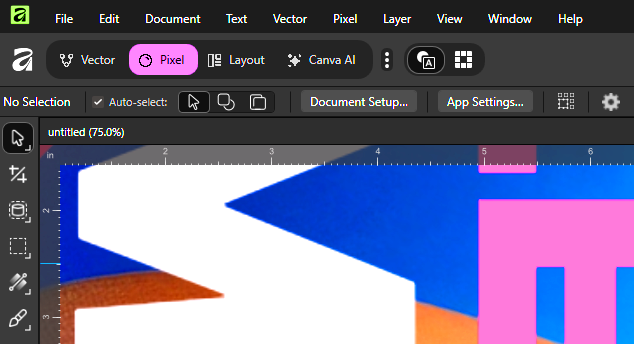
Affinity Workspace Apps Vector, Pexel, Layout and Canva AI

What used to be three seperate apps for photo editing, vectors and layout design  are now bought together into one single workspace. 

Which means you can switch between pixel vector and layout by just clicking the relevant ‘studio’ tab at the top let of the screen. 

 
No more jumping about in different workspaces which could be a massive plus if It’s a big workflow advantage if you do a lot of mixed work.

High Performance & Professional Tools

As aready mentioned Affinity is powerful and supports the majority of file formats

Custom Tools and Workspaces

Affinity lets you build and save your own “studio” or workspace which is the same concept as Adobe’s custom workspace tool. So mix the tools you regularly use to design Affinity to work the way you want.

By the way studios are also shareable so you can work with individuals and teams which is actually a super useful bonus.

Affinity is now Freemium Model (Freemium is quite a good word so we borrowed it)

Affinity is now free forever for the base version. 

Looking for strong layout and image editing software?

As well as the image and vector editing tools Affinity’s desktop publishing ‘studio’ is cool containing all the tools you’d expect.

It has the usual character /paragraph styles, strong type control and master pages. One superb bonus is the direct editing of any photo’s, artwork in the layout itself.

If you aim is to produce branded documents, publications, brochures and flyers then for small business use is this fills the gap.

Affinity Courses from Greta Powell Training

There is strong demand for our existing Affinity training courses covering the traditional apps including Publisher, Photo and Designer and we will be continuing to offer training in these the foreseeable future. 

We’re not deleting legacy Affinity software here at Greta Powell Training, we prefer to wait and watch how the major new versions of software go down out in the wild. 

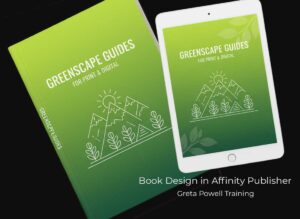
Book Design with Affinity Publisher for print on demand, Amazon KDP and Ingram Spark

Book Design Training Course for print, digital and print on demand for Amazon KDP, Ingram Spark etcWith this being a new release we’re currently working on new Affinity Course content and expect to be delivering this from early December. Keep an eye on this Affinity free creative software post for any updates or if there’s significant news then a brand new post.

As usual we will be offering introduction to advanced Affinity Courses with tailored Affinity workshops for learners.

View our latest course in the new version of Affinity Book Design with Affinity Publisher This is one of our specialist design courses showing you how to design and layout books for print /print on demand (Amazon KPD) and digital  formats such as Kindle.
How tailored Affinity courses work with Greta Powell Training

We follow a simple proven process to make sure all our training courses deliver the best results.

  1. First we listen to you and what you want!

  2. Initial consultation, You’ll discuss your goals, current skill levels, and the types of projects your team handles via Zoom /Teams

  3. Tailored training plan, Greta designs a custom learning path using your software, files, and creative objectives.

  4. Flexibility, tailored training can be held online, at your premises, an agreed location or in hybrid format scheduled around your diary.

  5. Follow-up support, After training, you’ll receive support by email, video and optional refresher sessions to keep skills sharp.

Ready to book Affinity Training?

Investing in bespoke digital design training is one of the most effective ways to boost productivity, confidence, and brand consistency within your organisation.

Whether you’re an SME looking to upskill your marketing team or a large company seeking standardised design processes, tailored Adobe training can make an immediate difference.

Get in touch with Greta Powell Training today to discuss your team’s needs or arrange a free consultation.

Contact Greta Powell Training

Want to Read more?

If you’re a creative professional—or simply someone who enjoys making high‑quality visual work—the newly relaunched Affinity software is worth a look. Here’s a short blog‑style overview of what’s changed, what’s staying strong, and whether it might be right for you.