

Looking to build skills across multiple Adobe Creative Cloud applications?
We offer everything from one‑day beginner courses through to advanced workshops for individual apps and fully tailored Adobe Masterclass workshops. Our Masterclass training lets you combine applications such as InDesign, Photoshop, Illustrator, Premiere Pro, Adobe Express and Adobe Firefly into a single 3–5 day Creative Cloud course, shaped entirely around your projects and experience level.
Ideal for design teams, marketing departments or anyone wanting a broader understanding of Creative Cloud, the Masterclass blends practical, project‑based learning with expert guidance. You choose the apps and the level, and we build the course around your workflow.
Alongside this, we run a full range of intro, intermediate and advanced courses in all the main Adobe applications, plus shorter specialist workshops for specific skills and workflows.
 Greta provided two excellent sessions at our offices cutting down on time and travel costs. The most impressive aspect was how she delivered the training that was specific to our needs.
The response from staff has been overwhelmingly enthusiastic and we have already put what’s been learned into action.
Thank you Greta
Ed Melia, Head of Communications
World Habitat, Leicester
It was so lovely to meet you and our training was brilliant, can’t wait to get cracking today and see what I can produce ! I hope our paths cross again, thank you so much.
Dawn Huckerby, Training & Development
Leicestershire County Council
 Master the art of professional page layout and design with our Adobe InDesign courses across Notts.
Designed for both beginners and experienced users, our training courses cover everything from setting up documents and managing typography to creating interactive PDFs and print-ready artwork. You’ll learn how to streamline your design process, maintain brand consistency, and produce polished layouts for brochures, magazines, reports, and digital publications.
With expert guidance and hands-on exercises, you’ll leave the course confident in using InDesign to bring your creative ideas to life efficiently and professionally.
Introduction to Adobe InDesign Training
Looking for Adobe Training Courses for Teams?
 Unlock the full potential of digital imaging with our Nottinghamshire onsite Adobe Photoshop courses.
This course guides you through the essential tools and techniques for image editing, retouching, and compositing. Learn how to enhance photographs, create visual effects, and prepare graphics for both print and digital media.
Whether you’re working on marketing materials, product photography, or social media visuals, our hands-on sessions help you build practical skills to achieve professional, high-quality results with confidence.

Bring your stories to life with our onsite Adobe Premiere Pro training across the Nottingham region.
These practical video editing courses coverseverything from basic editing techniques, timeline management to colour correction, audio enhancement to exporting professional quality videos.
Perfect for marketers, content creators, and communications teams, the course helps you streamline your video workflow and create polished productions for social media, websites, and presentations.
Adobe Premiere Pro Introduction Training Course
Adobe Premiere Pro Intermediate /Advanced Training Course
Adobe Premiere Pro Interview Editing Course
Shortform Video Editing Design Course
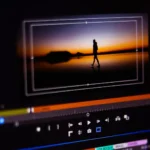 A flexible 3 to 5 day Adobe Premiere Pro Masterclass designed with teams in mind. You can mix and match content from any of the Intro, Intermediate and Advanced courses to create totally focused days.
These address real workflows, shared challenges and the projects your team actually works on. Ideal for organisations wanting practical, confidence‑building training with room to tailor each day.
 Discover the power of vector graphics with our Adobe Illustrator training. Ideal for designers, marketers, and creative professionals, this course teaches you how to create scalable artwork for logos, icons, illustrations, and infographics.
You’ll work with shapes, geometric tools, colour management, and typography to produce clean, consistent, and brand ready designs. With expert guidance and step-by-step projects, you’ll gain the knowledge and confidence to turn your creative concepts into precise, professional vector artwork.
 Get creative quickly on our Adobe Express training with this easy to learn content design tool which is perfect for creating fast highly visual content for social media, web and yes print.
On this Adobe Express training learn how to design and publish eye catching graphics, social media posts, and marketing materials in minutes. Express is content rich with templates, brand kits, videos and intuitive design features meaning you’ll be designing and publishing virtually immediately
Ideal for small businesses, marketing teams, or anyone short on time, this Adobe Express Course held onsite in Nottingham will having you producing and scheduling professional visuals that maintain brand consistency across all your channels.

Adobe Firefly brings aigenic, prompt‑based creativity into Creative Cloud, helping you generate images, effects and design assets instantly.
Firefly skills can be included in any Creative Cloud training, or delivered as a dedicated one‑day course.
Integrated into Adobe Express inside the Adobe AI Studio and Creative Hub will be a new way of working. This hands‑on session is designed to get your team up to speed with Adobe’s latest AI tools quickly and confidently.
- Prompt Engineering – how to write clear, effective prompts that produce the right results fast.
- Core Firefly Tools – Text to Image, Generative Fill, Generative Expand, Text to Video (1080p), Image to Video, Prompt to Edit, Video Editor and Text Effects.
- Style & Composition Reference – apply the look, feel or structure of an existing image to new generative artwork.
- AI Vector Art – create scalable, editable vector graphics and patterns directly from text prompts.
- Creative Cloud Integration – take your AI‑generated artwork into Photoshop, Illustrator and InDesign for refinement and final output.
- Commercial Safety – understand how Adobe trains its AI models, how partner models work, and what makes Firefly assets safe for business and copyright use
If you want to see how Adobe are reshaping their design tools and where the Adobe hub fits in take a look at our Adobe 2026 update.
Adobe Firefly Training Course
 Venture into the world of AI with this Adobe Photoshop AI Training Course. Learn how to enchance and retouch your images quickly, conduct non-destructive edits, often with a single click easily with Photoshops AI Tools. Utilise the power of Photoshops contextual taskbar to use Generative Expand /Generative Fill, remove backgrounds and distractions with the sweep of a brush and learn the power of neural filters and the amazing remove tool and latest selection tools
You can find out a bit more about Photoshop AI on our blog at Photoshop, Nano Banana and AI.
 Enhance your photography workflow with our Adobe Lightroom training in Nottingham. This course is perfect for photographers, marketers, and creative professionals who want to organise, edit, and present images efficiently.
You’ll learn how to manage large photo libraries, make non-destructive adjustments, and create consistent, professional edits across your entire portfolio.
From colour correction and tonal adjustment to exporting images for print and web, this hands-on course will help you achieve stunning, polished results while saving valuable time in your editing process.
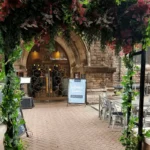 When delivering hands‑on training directly onsite to teams at their offices in Nottingham, you’ll often find me catching up on creative food and design projects at lunchtime.
Favourite spot for lunch in Nottingham? That’s easy. Right in the heart of the Lace Market is the stunning Pitcher & Piano bar on High Pavement. The coffee & food are superb, and if you’re looking for a sympathetic building conversion, their stained‑glass windows really are something else. I’m also very fond of the brightly lit confessional and no, I’ve not used it.
The world is full of addictive, beautiful visual design, and I’m seriously hooked on it all. Which is why, here at Greta Powell Training, I feel creative training shouldn’t feel like a cold, corporate button‑clicking lecture. It deserves to be inspiring and design‑led, which is why my courses feel more like a focused, creative conversation over a great cup of coffee and cake.
