
Adobe InDesign Introduction Course in the Midlands
Introduction to Adobe InDesign Training Midlands Beginner‑friendly, practical InDesign training delivered onsite across Leicester, Derby and Nottingham. Perfect for anyone new to InDesign or looking to build solid, confident layout skills from the ground up.
- Flexible delivery across the Midlands
Onsite at your premises • Live online (Zoom, Teams, Google Meet) Half‑day, full‑day and weekend options - Mini Sprint sessions available
Introduction to InDesign Training Course
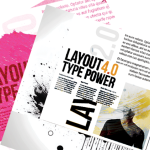 Learn design skills on this beginner‑friendly Introduction to Adobe InDesign course. You’ll work through each stage of the design cycle from page setup and layout structure through to publishing for print or digital use.
You’ll learn how to create professional layouts for brochures, reports, flyers and marketing materials, while also building an understanding of design principles, colour, and how branding shapes corporate layout. You’ll finish the course able to publish confidently to print and PDF.
Flexible delivery across the Midlands
Training is available onsite across the Midlands, live online, or as a flexible hybrid option that fits around your schedule. It’s ideal for beginners, home users, small business owners and larger teams who want to build confident, practical InDesign skills.
Lifetime Adobe InDesign After Course Support
There is full, lifetime after‑course support for all Adobe training via email, recorded video or live InDesign sessions
What you'll learn on this InDesign Course
By the end of this InDesign course you’ll be able to navigate the workspace confidently, format text and images, and produce professional layouts ready for print or digital output. You’ll build a solid foundation in desktop publishing and learn how to work quickly and efficiently by removing the ‘faff’ and using InDesign’s automated tools — including master pages, paragraph and character styles, colour swatches and structured page layouts.
After this course you'll be able to:
- Work smarter and faster in InDesign
- Understand the InDesign workspace and essential tools
- Create a brochure layout from scratch
- Design flyers and posters
- Build reports, annual reports and multi‑page documents
- Create a basic interactive PDF
- Export print‑ready and interactive PDFs
Introduction to Adobe InDesign course outline
Getting started with InDesign
- Understanding the workspace and tools
- Setting up documents for print or digital
- Pages, margins, columns and grids
Working with text and text frames
- Adding and formatting text frames
- Typography basics: fonts, spacing, alignment
- Paragraph and character styles for consistency
Working with images and image frames
- Placing and fitting images
- Managing links and image quality
- Using shapes, frames and simple graphic elements
Text wrap & image flow
- Applying text wrap to images and shapes
- Controlling spacing, offsets and wrap boundaries
- Fixing common text wrap problems beginners run into
Layout and design principles
- Clean, structured layouts for print and digital
- Colour, branding and visual hierarchy
- Creating brochures, flyers and multi‑page documents
InDesign workflows
- Working faster with styles, swatches and reusable assets
- Master pages and automated layout tools
- Up‑to‑date best practices for print and digital publishing
AI‑Assisted Design (Optional)
- Using Adobe Express and Firefly to generate assets
- Cleaning and refining AI‑generated content in InDesign
- When AI helps and when traditional workflows are faster
- Real‑world examples of AI used professionally
Exporting and printing
- Exporting print‑ready PDFs with correct settings
- Creating interactive PDFs (buttons, links, navigation)
- Why Publish Online is the best option for interactive output
- Using Pre‑flight and the Pre‑flight Panel to catch errors before exporting
Who is this course for?
This InDesign Introduction course is perfect for anyone who wants to get comfortable, confident and creative with layout design but without the overwhelm.
It’s ideal for:
Complete beginners who want a friendly, practical start
Home users who want to make their own brochures, flyers or PDFs
Small business owners who need polished marketing materials without outsourcing everything
Admins, coordinators and office teams who regularly produce reports, newsletters or documents
Marketing and comms teams who want cleaner, faster workflows
Anyone switching from Word, Canva or Publisher and ready to level up
Learners who prefer hands‑on, real‑world training rather than theory or jargon
If you’ve ever opened InDesign, stared at the panels and thought “Nope”, this course is absolutely for you.
Greta's reviews or rather what you said

Greta has trained me on two separate occasions on InDesign, once online and face-to-face, and both experiences were wonderful.
Greta really helped with every question I had and still answers my questions even after the training ended. Alex, Marketing, Puragen
An excellent and informative course. The day was conducted at a good pace which let us ask many questions. The level was pitched at each of our abilities moving us on well with the training but flexible enough to adapt to our needs. Managing Editor
An excellent session which has helped enormously in filling in gaps in my InDesign knowledge.
We worked through all our agreed set criteria but at a managable pace. I believe the skills learnt on this course will allow me to continue more effectively than ever.
Designer
Bloodstock News
Although I’ve used InDesign for years I found the course very informative. My knowledge of InDesign has increased dramatically.
Greta Powell, our InDesign trainer was very knowledgable and really knew her stuff. Design & Production, DWP, Department of Work and Pensions)
Book your InDesign Training
Course details
Full‑day Introduction to Adobe InDesign Course
Available onsite for teams or live online for individuals and groups
Pricing
Pricing is flexible for individuals and teams, both online and onsite.
Rates vary depending on group size and location, so just get in touch for a quick quote.
Whats included
All course files unless you provide your own, full after-course support and certificate
Ready to book
Contact us to book or find out how we can help with your onsite or online Adobe training
Adobe InDesign Training FAQs
How do Online Adobe InDesign Courses work
Online Virtual Adobe Courses are delivered with a live instructor.
They are available as one to one sessions or to closed company groups
Because it is virtual online training this InDesign Course can be delivered literally at any time of the day 24/7, overnight and during weekends.
You will have live contact with the instructor throughout your training and be able to share both your screen and see theirs in real time.
All the courses featured on the website are available as online training.
Do you record the InDesign Training sessions?
We do but unfortunately due to privacy issues can only record for individuals or closed company courses.
How do Onsite Adobe InDesign Training Courses in the Midlands work
The trainer comes directly out to you at your premises to deliver the InDesign Training.
- There is no travelling for you or your team saving travel, hotel and any additional expenses
- It is cheaper than traditional training – you are paying for the trainer directly
- Nothing about our Adobe Training Courses is generic.
- Prior to the InDesign Course we discuss your aims, content preferences & knowledge
- The Advanced InDesign Course is tailored to suit you and your team
- Flexible dates & times to suit you
- Full after course support for as long as you need it.
This InDesign Course content takes between one and two days depending on the amount of people sitting on the training – for one person a day usually suffices but for small groups of between 4 and 6 people two days is more realistic.
It is available as Online InDesign Training or Onsite InDesign Training and is perfect for both company courses or individual sessions.
24 /7 and Weekend Online Adobe InDesign Training?
We run online Adobe InDesign training courses on a 24 /7 basis including evenings, overnight and at weekends.
*Unfortunately we can only offer for these for virtual online InDesign Courses
1 /2 Day Virtual Online Adobe InDesign Courses
We appreciate that not everyone likes a full days training so for online InDesign courses full day training can be split into half days and delivered over an agreed period of time.
*Unfortunately we can only offer 1 /2 day sessions for online training courses.
What after course support is there?
We offer full, lifetime after‑course support for all Adobe training. You can email any questions at any time, and if something more complex comes up, we’ll arrange a face‑to‑face online session via Zoom or Teams. All support is provided directly by your trainer, Greta, so you have continuity from booking your course right through to ongoing help.
Other design training courses
Popular Adobe Training Courses across the Midlands region
As well as our InDesign for Beginners course we also run Adobe training in most of the apps.
These are some of the most popular ones.
- Introduction to Adobe Photoshop Social Media Graphics Training
- Adobe Photoshop Elements Training
- Introduction to Adobe Acrobat Training
- Adobe Creative Cloud Training
We also run a range of Affinity training courses including the latest Studio version.
Can we use our own files on this course?
Absolutely yes you can.
How to Book your Quickstart Adobe InDesign Course
Booking with us
Please get in touch with us via the online booking form or click to:
We will then get in touch and send the details of booking reservation and find out your timeframe for training.
We will then send across dates.
Once the booking is confirmed we then organise a pre-course call /meeting to discuss the course and any logistics around the day.
Payment
Payment for training is via BACS or Credit Card
Credit Card payment is via Stripe
*Greta Powell Training Ltd does not collect or store your card details.
Purchase Orders
We accept purchase orders from UK registered companies and the public sector.
Where does Greta Powell Training deliver Adobe Courses in the Midlands
We travel extensively to deliver Onsite InDesign Training Courses across the Midlands.
This includes all cities & their surrounding areas such as Birmingham, Coventry, Newark, Derby, Lincoln, Cambridge to name a few
Please get in touch to discuss InDesign Training in your area.
