
Adobe Premiere Pro Training Lincoln & Lincolnshire
Adobe Premiere Pro Training in Lincoln & across Lincolnshire
Hands‑on Premiere Pro courses delivered onsite at your premises across Lincolnshire or live online. These are practical, project focussed sessions to design for social reels, marketing videos, interviews and internal comms.
Online video editing training via Zoom or Teams
Onsite and Online Adobe Premiere Pro Courses in Lincolnshire
These Premiere Pro courses are ideal for anyone in Lincolnshire who wants to learn how to edit professional‑looking video. They’re hands‑on, friendly and tailored around your own projects whether you’re creating social reels, marketing videos, interviews or internal comms.
Sessions can be delivered onsite at your premises in Lincoln, Boston, Spalding, Grimsby and surrounding areas, or you can join a live online course from anywhere
Adobe Premiere Pro is the industry-standard software for video editing, acting as the creative hub where raw footage is transformed into professional cinematic stories.
Whether you are a complete beginner or looking to master advanced post-production techniques, our tailored pathways are designed to match your specific industry goals. From here, you can dive into specialised modules that break down the software’s vast toolkit into focused, practical workflows.
Select your Premiere Pro Training Course
If you’re based in Lincolnshire, you can choose from a range of Premiere Pro courses depending on your experience level and the type of video content you want to create.
Introduction to Premiere Pro Training
Build a solid foundation by mastering the workspace interface, importing media, basic timeline splicing, and essential export settings.
This Adobe Premiere Pro course introduces you to the tools, workspaces, panels and timeline you’ll work with to create web footage, social reels and short marketing videos. You’ll learn how to import footage, add it to the timeline and enhance it with effects, transitions and position a variety of clips.
Our full Adobe Premiere Pro Course outline is further down the page but in short you’ll learn how to:
- Design video – create stunning reels for social media, web, broadcast and eLearning projects
- Enhance video – add transitions, titles, PIP, graphics
- Premiere Pro Timeline – understanding tracks, timeline navigations, refine Timeline Edits, moving, copying, changing order of tracks
- Practicalities – projects, sequences, clips, timeline
- Audio – Audio Files /enhancement, music, voice-over
Intermediate Premiere Pro Training
Elevate your edits with multi-camera syncing, precision audio cleanup, keyframe animations, and custom text graphics via the Essential Graphics panel.
Advanced Premiere Pro Training
Master professional post-production workflows, including advanced Lumetri color grading, complex nesting, proxy editing for 4K/8K footage, and dynamic links to After Effects.
Specialised Video Editing Courses
These focused sessions are ideal if you’re working with specific types of content or want to develop a particular video editing workflow.
Shortform Video Editing Workshop (4 hours)
A focused, practical session on creating short, social‑ready videos. Learn how to work with vertical formats, captions, pacing, music and exporting for Instagram, TikTok, YouTube Shorts and LinkedIn.
Interview Editing Techniques
Learn how to edit interviews cleanly and professionally. We cover cutting dialogue, pacing, audio cleanup, adding supporting visuals and building a smooth, polished final sequence.
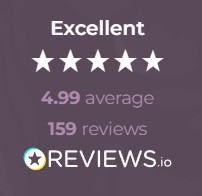
View our Reviews.io Testimonials
Why train with Greta Powell?
I’ve always believed the best way to learn Premiere Pro isn’t from a manual, it’s by getting stuck into real projects. I talk a lot in real life (useful or useless info depending on who you ask), and I bring that same energy into my sessions across Lincolnshire.
I’ve been working with Adobe software since the early days of digital video, right through to today’s Firefly‑powered AI tools. That experience means I can explain the “why” behind the software, not just the buttons.
I don’t just train; I translate complex, sometimes intimidating tools into simple, practical workflows you can use immediately. My workshops are relaxed, hands‑on and built around real‑world footage sometimes even clips we film together on the day and always fuelled by far too much tea.
Most of all, I want you to leave feeling confident, capable and maybe even a little bit excited about what you can create.
Get in touch
Ready to chat about Premiere Pro training in Lincolnshire? Just drop me a message I’m always happy to help.
Introduction to Adobe Premiere Pro Training FAQ's
How do Online Adobe Premiere Pro Training Courses work?
Our online Adobe Premiere Pro Courses run virtually with a live instructor giving you direct contact with them throughout the training via video, chat & screen share.
We run online video editing training in Premiere Pro via all the most popular video conferencing software including Zoom, Teams, Google and WebEx.
Do you record the Premiere Pro Courses?
We do but due to privacy issues are only able to record for individual or closed company sessions
24 /7 Hour and Weekend Training
Online training is available on a 24 /7 basis including evenings, overnight and during weekends.
Pre-Course Chat
Once the course is booked in we organise a voice call /online meeting to discuss the course content and structure ensuring the training goes smoothly.
All our digital design courses are available online.
How do Onsite Adobe Premiere Pro Training Courses work in Lincolnshire?
Our Onsite Adobe Premiere Pro Introduction Training is hosted on your premises across Lincolnshire including Boston, Lincoln, Spalding, Grimsby, Hull and all surrounding areas.
We train UK wide so do get in touch to chat about availability.
Flexible booking dates which work to your schedule.
Bespoke, tailored Premiere Pro courses focusing entirely upon you and your company.
The trainer comes direct to you so there’s no travelling involved for you or your team saving them travel and expenses.
Once an onsite course is booked we organise an online chat with your trainer to discuss the content and any logistics involved in the course.
What other Adobe Training Courses are available in Lincolnshire?
We run a wide range of Adobe Training Courses across Lincolnshire including:
Who is this Adobe Premiere Pro Training for?
This is an introduction course so ideal for beginners to Adobe Premiere Pro and video editing. It is used in a whole spectrum of industries which include content creators, videographers, social media & comm’s teams, construction, manufacturing, marketing and is ideal for anyone looking to take their video editing skills a step further.
Our most recent clients have been from areas such as marketing, construction, presentation, HR & Dev and admin. It is becoming particularly popular with marketing departments who use the software to construct short explainer videos for social media.
Course Completion Certificate and Post Course Support
At the end of the Premiere Pro course we email you a certificate of completion.
Post Course Support
We offer a years post course support – this is via email, voice call or via video conferencing
24 /7 and Weekend Online Adobe Premiere Pro Trainig
We deliver online Premiere Pro training on a 24 /7 basis, evenings, overnight and during the weekends.
*Please note we can only deliver this for online Adobe Training sessions.
How to Book your Adobe Premiere Pro Training Course
Booking with us
Please get in touch with us via the online booking form or click to:
We will then get in touch and send the details of booking reservation and find out your timeframe for training.
We will then send across dates.
Once the booking is confirmed we then organise a pre-course call /meeting to discuss the course and any logistics around the day.
Payment
Payment for training is via BACS or Credit Card
Credit Card payment is via Stripe
*Greta Powell Training Ltd does not collect or store your card details.
Purchase Orders
We accept purchase orders from UK registered companies and the public sec
Lorem ipsum dolor sit amet, consectetur adipiscing elit. Ut elit tellus, luctus nec ullamcorper mattis, pulvinar dapibus leo.
