
Adobe Photoshop Elements Course in Cheshire
Ideal for personal use or small business users this Onsite Adobe Photoshop Elements course in Cheshire covers image editing for print and digital output.
Available online Adobe Photoshop Elements Training sessions with a live trainer or onsite on your premises UK wide
Introduction to Adobe Photoshop Elements Training
This Introducton to Photoshop Elements Course gives you practical tools and techniques to create from new or edit existing photo’s to take your images to a professional level.
On this beginners Photoshop course you’ll learn how to import and organise photos, make professional edits, retouch and enhance images, work with layers, create stunning outputs for print, web and social media.
Ready to bring your creative vision to life?
Book today and start editing with confidence. With hands-on exercises, real-world tips, and expert support, you’ll quickly see the difference in your photos and have fun doing it!
Photoshop Elements Course Overview
What you'll learn on this Photoshop Elements Course
In this hands-on Photoshop Elements course, you’ll gain the skills to confidently edit, enhance, and create stunning images.
By the end of the course, you’ll be able to:
Import and organise your photos efficiently for easy editing.
Edit and enhance images like a pro and adjust colour, brightness, and contrast.
Retouch photos to remove blemishes, improve portraits, and perfect your images.
AI and Adobe Firefly learn text to image, generative fill (insert object), remove and generative expand to speed up your workflow
Add text, graphics, and effects for social media, presentations, or print.
- Work with layers and masks to create complex and eye-catching edits.
Who is this course for?
This course is perfect for anyone who wants to create beautiful, professional-quality images without feeling overwhelmed by complex software:
Hobbyists and photography enthusiasts.
Small business owners creating marketing or social media content.
Beginners looking to gain confidence in photo editing.
Anyone who wants to enhance family photos, travel shots, or personal projects.
Live interactive virtual and onsite Photoshop Elements Training
This course is delivered both onsite and virtually online via Zoom, Teams etc with flexible dates and times.
Our interactive online Photoshop Elements training, lets you to learn from the comfort of your own workspace with a live instructor.
The Onsite Adobe Photoshop Elements training is hosted on your premises in Chester and the Cheshire region and ideal for businesses or individuals who prefer in-person sessions.
Our in-person onsite Adobe courses are available UK wide.
Greta Powell Training 5* Verified Reviews
 Thanks very much for last weeks session. The group got a lot out of it and I’m sure will be using what you’ve taught them for a very long time.
It was lovely to meet you, I’m sure we’ll be in touch in the future for more sessions.
Sam Tatlow | Talent Coordinator
thinkBigger, Channel Four
Adobe Photoshop Training Courses
Booking and Pricing
If you’d like to arrange Photoshop training, just get in touch with your preferred course level or team format.
Pricing is flexible for small groups and larger teams, with a simple sliding scale for training sessions. Online delivery is also available if that suits your schedule.
You can send your details via the Contact Page, and I’ll reply as soon as possible.
Get in touch
If you’d like to ask a question, check availability or book this course, you can reach me quickly using any of the options below:
Phone: 07889 761241 Tap to call on mobile.
Email: greta@gretapowell.com
Bespoke Adobe Training and Combo Courses
Bespoke Adobe Photoshop Elements & Adobe Express Training
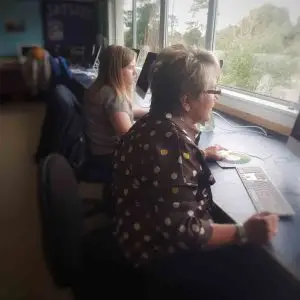
Photoshop Elements is very popular for social media creators and is often used along with Adobe Express.
What is Adobe Express?
Quick answer is Canva on steroids. It is Adobe’s answer to Canva and works well with Adobe Photoshop Elements. Easy to use and completely compatible with the rest of Creative Cloud including Adobe Express.
Is Adobe Express free?
The professional version is part of the Adobe Creative Cloud but just like Canva there is a smaller version of Express which is free.
Tailored Adobe Photoshop Elements & Adobe Express Training
Many of our clients opt for tailored Adobe courses including Elements and Express
Adobe Photoshop Elements Training FAQS
How do Online Adobe Photoshop Elements Training Courses work?
This is an introduction to Adobe Photoshop Elements Training but can easily be tailored to suit individual requirements.
All our virtual Photoshop Elements training runs with a live instructor who you can interact with throughout your course via video, chat and sharing screens in real time. All our digital design courses are available online.
24 /7 Availability
Do you record the Photoshop training sessions?
We do, but unfortunately due to privacy issues we can only do this for one to one sessions or closed company groups.
How do Onsite Adobe Photoshop Elements Training Courses in Cheshire work?
Our Onsite Adobe Photoshop Elements Training Courses in Cheshire are hosted on your premises at times and dates to suit you.
Flexible Booking Dates for onsite Adobe Courses.
The training course is focused entirely upon you and your company requirements and can be tailored to suit you.
We are happy to tailor any aspect of the Adobe Course content to suit you.
The trainer comes direct to you so there’s no travelling involved for you or your team saving them travel and expenses.
Once the course is booked we organise an online chat with your trainer to discuss the content and any logistics involved in the course.
Are the Online Adobe Photoshop Elements Training Courses recorded?
Yes they are but due to privacy reasons we can only record these for our private one to one Adobe courses or for the closed company courses.
24 /7 and Weekend Online Adobe Photoshop Elements Training
Our Online Photoshop Elements Courses are available on any time zone. We provide 24 hour availability, evenings, overnight and during weekend.
We run our online training sessions via the most popular video conferencing software including Zoom, Teams, Google and WebEx. It’s your choice which one you prefer.
1 /2 Day Adobe Photoshop Elements Training Courses
We know that a lot of people prefer their training in smaller chunks so for online training courses we can split full day courses into two half day sessions for the duration of the course.
Unfortunately we can offer this for online training sessions.
What do you learn on this Introduction to Adobe Photoshop Elements Course?
On this Introduction to Photoshop Elements Course learn how to retouch, recolour and repair your photographs and learn the techniques needed to produce professional images for both business and personal objectives.
It goes without saying that we also take an in-depth look at the AI tools in Photoshop Elements including the Remove tool, Depth Blur tool and Auto Selection Tools to make a smoother and quicker workflow
The course shows you how to design and prepare for print, digital and social media using the same methods as professional designers & photographers.
- Work with Photoshop Elements Tools, Panels & Interface
- Understand Layers and why they’re crucial to image editing
- AI Tools
- Work with Colour, Gradients & Swatches
- Selection Tools & Techniques
- Selections & Masks
- Learn to prepare images for both print and digital output
- Create Photo Collages
- Create & Publish Photo Book
You will create, edit and publish images for print, web and social media
What other Adobe Courses do you run?
We run a wide range of digital design training courses at all levels but some of out most popular at the moment are:
- Adobe MasterClass Training
- Adobe Photoshop AI Training
- Adobe CC Express Training
- Adobe Photoshop Introduction Training
- Adobe Photoshop & InDesign Training
- Adobe Photoshop Social Media Graphics Training
- Adobe Photoshop Advanced Training
- Adobe InDesign Introduction Training
- Adobe InDesign Intermediate Training
- Adobe Acrobat Training
Book the Adobe Photoshop Elements Training Course
Booking with us
Please get in touch with us via the online booking form or click to:
We will then get in touch and send the details of booking reservation and find out your timeframe for training.
We will then send across dates.
Once the booking is confirmed we then organise a pre-course call /meeting to discuss the course and any logistics around the day.
Payment
Payment for training is via BACS or Credit Card
Credit Card payment is via Stripe
*Greta Powell Training Ltd does not collect or store your card details.
Purchase Orders
We accept purchase orders from UK registered companies and the public sec
Lorem ipsum dolor sit amet, consectetur adipiscing elit. Ut elit tellus, luctus nec ullamcorper mattis, pulvinar dapibus leo.
Virtual Online Adobe Training Courses
We always work very closely with our clients from the start of their Photoshop Elements training course through to the end by focusing totally on their learning needs and current ability with the software.
Once the course is booked we organise an online meeting to discuss the course content & any logistics.
Where in Cheshire do you train?
Cheshire Photoshop Elements Classes are available as live online training via Teams and Zoom on a 24 /7 basis, ideal for international clients.
But if you prefer in-person Photoshop Training please get in touch discuss onsite options in your area
For full course details, delivery options and booking information, please view our main Photoshop Elements training course.
Adobe Photoshop Elements Training - Course Content
Meeting Photoshop Elements
Tools Overview
Panels Overview
Window Menu
Photo Editor
Importing Photos
Working with the Photo Bin
Photoshop Elements and AI Tools
Remove Tool
Combine Photos
Change Object Colour
Depth Blur
New Motion Quick Actions
Contextual Tools
Guided Edits with Dynamic Controls
Photoshop Elements & Layers
What are Layers?
Creating Layers
Working with the Layer Panel
Editing/ Duplicating/ Deleting Layers
Hiding /Showing Layers
Working with Fill Layers
Creating a Montage in Elements
What are Layers?
Creating Layers
Working with the Layer Panel
Editing/ Duplicating/ Deleting Layers
Hiding /Showing Layers
Working with Fill Layers
Photoshop Elements Tabs
Media Tab
People Tab
Places Tab
Adjustment Layers
What are Adjustment Layers
Why and When to use Adjustment Layers
Hue and Saturation Adjustment Layer
Levels Adjustment Layer
Brightness and Contrast
Safe Workflows
Working with Photos in Elements
Importing Photo’s from Camera Card
Editing Photo’s
Working with Catalogues
Understanding File Formats
Photoshop Elements Colour
Colour palette
Colour models
Paint bucket
Gradients
Photoshop Elements Transform Tool
Transforming Objects
Rotating Objects
Resizing /Resolution
Reshaping Objects
Straightening and Distorting
Photoshop Elements & Type
Adding Type
Character /Paragraph Type
Setting Type Styling
Text Overlay Templates
Photoshop Elements Selections
Selection Brushes
Magic Wand, Selection Brush
Quick Selection /Refine Edge Tools
Adding/removing/expanding selections
Retouching Techniques
Retouching Methods
Using Clone Stamp Tool
Using Content Aware Fill
Content Aware Move
Spot Healing Brush /Healing Brush
Photoshop Elements Environment
Quick /Guided and Expert Workspaces
Tools Panel
Image /Enhance Menus
Straighten & Crop Tool
Crop Tool /Setting Crop Presets
Onsite Photoshop Elements Training Locations
Our Adobe Photoshop Elements Courses are held UK wide including Chester, Cheshire Crewe, Manchester, Birmingham, Leicester, Nottingham, Derby, Cheshire, Peak District, Chesterfield, Cambridge, Oxford, Stoke on Trent, Nuneaton, Hinckley, Sheffield, Coventry.
We travel the length and breadth of the country so please get in touch to discuss locations and how we can help with your training course.
