
Adobe Lightroom Training Courses in Staffordshire
Adobe Lightroom Training for Photographers – Online or Onsite UK
Learn how to organise, edit and enhance your photographs using a clear, professional Lightroom workflow designed for real-world photography.
This hands-on Adobe Lightroom training course is ideal for photographers who want to manage their image libraries efficiently and produce clean, consistent results using industry-standard tools.
You’ll learn how to import, organise and edit your images using Lightroom and Adobe Camera Raw, with a practical approach that helps you work confidently and efficiently.
Suitable for beginners and those looking to improve their existing Lightroom workflow.
How do Adobe Lightroom Courses work?
Adobe Lightroom Training Courses are hosted onsite at your premises across the Staffordshire region. These are available for individuals or professional teams who are looking for an Introduction /Bespoke approach to their Lightroom Training.
These are also available virtually as online Lightroom Training sessions in either Zoom or Teams
About Adobe Lightroom Training
Whether you’re a photographer, creative professional or business user working with images, our Staffordshire Lightroom Training teaches you how to get the most from Lightroom’s photo-editing and library tools. You’ll discover efficient techniques for importing and organising large image collections, applying consistent colour corrections and enhancements, using presets for faster editing and exporting photos ready for print or web use.
Designed for new and developing Lightroom users, this practical course focuses on real-world workflows that save time and improve visual outcomes.
What do you learn on Lightroom Courses?
- Importing and organising your photo library
- Editing and enhancing images with confidence
- Using Adobe Camera Raw for precise adjustments
- Managing large collections efficiently
- Preparing images for print and online use
Start with Lightroom Fundamentals
Begin by learning to create and manage Lightroom catalogues and collections to organise your workflow. Lightroom is a very powrful visual database that helps organise, file and retrieve literally thousands of images efficiently and quickly.
Explore the Lightroom Interface and modules
Work with the Lightroom interface and its key modules for editing, enhancing, and repairing photographs. This gives you a clear understanding of the whole process and how different workspaces fit in to the editing process from importing through to export.
Library Module & Workflow
Learn the central hub for importing, managing, organising, and sorting photos
Professional Retouching using the Develop Tab
Dive into the Develop Tab, where the real editing magic happens. You’ll master exposure, contrast, and colour grading, and explore AI tools like AI Denoise, Lens Blur (AI), and Auto Tone for faster, smarter edits.
AI Masking, Object Selections and Smart Edits
Lightroom’s selection tools make targeted editing precise and effortless. You’ll master Select Subject, Select Sky, Select Background and Colour/Luminance Range alongside manual masking and brush techniques.
To quote Greta Powell at this point “You’re dead in the water if you can’t select properly.” With Lightroom’s selection tools, you’ll learn perfect selections every time.
* Optional - Generative AI & Advanced Removal
- Generative Remove (Powered by Firefly): remove large objects people then ‘fill in the background’ “reimagines”
- Distraction & People Removal: specifically designed to target and eliminate background people, wires, or poles with a single click.
- AI Dust Removal: specialised tool that automatically identifies and removes sensor dust spots from an entire batch of images
*I get it, I really do get it!
I know photographers have mixed opionions with AI so, like all my bespoke Lightroom training this module is totally optional.
Lightroom's Book Panel
Design, customise, and print photo books instantly through Blurb. If you are interested in publishing a photo book take a look at the InDesign for Book Design Training which looks at the specifics of POD (print on demand) and KDP publishing with Amazon.
Learn Adobe Lightroom with AI-Powered Editing Tools
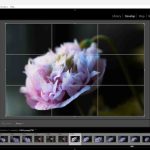 Take control of your photography with our professional Adobe Lightroom courses across Staffs. This hands-on training shows how to catalogue large amounts of images, edit photographs to a professional level and output accurately.
*As well as covering the tools and features vital to using Lightoom for professional results you could also include Lightroom’s latest AI features including AI Masking, Denoise, Adaptive Presets, and Content-Aware Remove to streamline your workflow and create stunning, professional-quality edits.
Whether you’re managing thousands of images or fine-tuning a single photo for exhibition this course gives you the creative and technical confidence to make Lightroom work for you.
*We’re aware that some photo exhibitions and shows have specific criteria and restrictions with regard to AI generation. We respect these, understand the limitations involved and happy to work to them.
What you said about our Lightroom Courses
Adobe Lightroom Workshop for City College, Coventry
This was a very good course.
I learnt all I needed and am confident using Lightroom now.
Photography Lecturer (Course Leader)
Extremely useful and a great learning opportunity where I learnt a huge amount of new tools and skills.
Photography Lecturer
An entertaining and very informative day that has given great insight into how Lightroom can be used.
Further practice will be needed but I now know the capability, flexibility and how effective Lightroom can be.
A very useful workshop.
Photography Lecturer and HNC Course Organiser
PHOTOGRAPHY & GRAPHICS DEPT, CITY COLLEGE, COVENTRY
Booking and Pricing
This is a bespoke Adobe Lightroom training session, tailored to your photography, your workflow and the areas you’d like to improve.
Most photographers choose either a half-day session (online) or a full-day course (online or onsite), depending on how much they’d like to cover. We agree the structure in advance so the training is focused, practical and built around your goals.
Pricing guide:
- Half-day online session (3 hours): £195
- Full-day training: £325 (online) | £350 (onsite)
If you’d like to include an additional photographer, that’s absolutely fine this can be arranged for a small additional fee while still ensuring plenty of individual guidance.
If you’d like to discuss your training or check availability, just get in touch and I’ll be happy to help.
Adobe Lightroom Training FAQs
How do Onsite Adobe Lightroom Training Courses in Staffordshire work?
Once your Adobe Lightroom Training is booked we arrange a pre-course chat /meeting to discuss the contents and logistics of the training course.
The trainer comes directly out to your premises to deliver the course
Flexible dates and times to suit your schedule
The course can be delivered as a one to one session or for company groups
Find out more about how Greta Powell Training’s Onsite Adobe Training Courses work
How does Online Adobe Lightroom Training Work?

Our Online Adobe Lightroom Training Courses are delivered virtually to you at a time and date to suit your diary.
All of our virtual Photo Editing training runs with a live instructor who you can interact with throughout your course via video, chat and sharing screens in real time. All our digital design courses are available online.
Do you record the online training sessions?
We do but can only offer this for one to one sessions and closed company groups.
24 /7 and Weekend Adobe Lightroom Training Courses
Because of the flexibility that virtual training provides our Online Lightroom Courses are available on any time zone so we can offer 24 hour availability including evenings, overnight and weekends.
We run our online training sessions via the most popular video conferencing software including Zoom, Teams, Google and WebEx. It’s your choice which one you prefer.
We are happy to record your training session for you to refer back to after the training.
What other Photo Editing Courses do you run?
We deliver training in both Affinity Photo and Adobe Photoshop at all levels from introduction through to advanced.
How to Book an Adobe Lightroom Training Course?
Booking with us
Please get in touch with us via the online booking form.
We will then get in touch and send the details of booking reservation and find out your timeframe for training.
We will then send across dates.
Once the booking is confirmed we then organise a pre-course call /meeting to discuss the course and any logistics around the day.
Payment
Payment for training is via BACS or Credit Card
Credit Card payment is via Stripe
*Greta Powell Training Ltd does not collect or store your card details.
Purchase Orders
We accept purchase orders from UK registered companies and the public sector.
Adobe Lightroom Training Course Content
Workspace Mode
Using the Workspace Layout
Lightroom Classic /Lightroom Cloud
Solo Mode
Customise Panels
Display Area
Lightroom and Presets
Presets: Applying existing presets and creating custom, unique presets for consistent editing
Working with & Understanding Presets
Use Existing Presets /Design New Presets
Importing Presets Preset Benefits
Library Module
Importing Images: moving photos from memory cards to computers, renaming and creating backups of files
Organisation Tools: sorting, filtering, rating, flagging, and keywording images.
Collections: creating collections and smart collections to organize large image libraries
Book Tab
Create Photo Book Layout
Setting up Photo-Book Size
Auto Layout and Page Numbers
Guides /Bleed /Grid Snap
Global Background
Working with Type and Text
Send to Blurb, JPEG or PDF
Exporting for Print on Demand Options
Lightroom Catalogues & Collections
Catalogue Management: Understanding and setting up Lightroom Catalogs, including using Smart Previews.
Setting up & Understanding Catalogues
Single /Mulitiple Catalogues
Collections /Quick Collections
Adding /Removing /Saving
Lightroom Tools
Library and Navigation
Importing Photos and Files
Library Filters
Switch Views and Flag Photoshops
Working with the Filmstrip
Develop Module in Lightroom
Global Adjustments: Basic Panel for exposure, contrast, white balance, saturation, and vibrancy.
Colour Grading & Correction: Detailed colour adjustment, including HSL (Hue, Saturation, Luminance) and tone curves.
Retouching: Spot removal, cloning, healing, and red-eye correction.
AI Tools in Lightroom
Local Adjustments: masking tools, including AI-driven select subject/sky, adjustment brushes, and graduated filters.
AI Tools: AI features like Denoise, Content Aware Remove and Adaptive Presets
Generative Remove (Powered by Firefly): remove large objects people then ‘fill in the background’ “reimagines”
Distraction & People Removal: Specifically designed to target and eliminate background people, wires, or poles with a single click.
AI Dust Removal: A specialized tool that automatically identifies and removes sensor dust spots from an entire batch of images
Photographic Slideshow
Slideshow Tab
Slideshow Setup
Slideshow Templates and Customisation
Playback and Playback Settings
Lightroom Advanced Topics
RAW vs. JPEG: the benefits of editing RAW files.
Photomerge: HDR (High Dynamic Range) images and Panoramas.
Photoshop Integration: move between Lightroom and Photoshop
Map Module
Lightroom Metadata
Keywords
Keywords in Sets
Keyword Syncing
Filters
View Meta for Target
Customise Metadata Panel
Metadata Syncing
Web Module
Create a Web Gallery
Collections and Web Gallery
Appearance
Output Settings
Colour Palette
Site Info
User Info
mise Metadata Panel
Metadata Syncing
