
Adobe PhotoShop Advanced Training Course in the Midlands
Onsite and Online Adobe Photoshop Advanced Training Courses
Take your Photoshop skills to the next level with our Adobe Photoshop Advanced Training Course, delivered across the Midlands and online via Zoom /Teams or Google. Perfect for designers, photographers, marketing teams and anyone ready to expand their digital creativity, this course blends expert guidance with practical, real world workflows.
Why choose an Adobe Photoshop Advanced Course with Greta Powell Training?
With years of hands-on Adobe training experience, we specialise in friendly, flexible and highly personalised Photoshop training. Whether you’re polishing professional skills or stepping into more advanced creative work, you’ll leave with a toolkit of techniques that make everyday workflows faster, easier and more creative.
Training is available onsite at your premises throughout the Midlands or delivered live online, with times and dates that work around you.
Advanced Photoshop for Designers, Photographers, Marketers & Digital Creatives

Our Advanced Photoshop Course in the Midlands is designed for anyone who works with digital imagery and wants to produce professional, high-quality results. This includes graphic designers, photographers, marketing teams, social media managers, content creators, e-commerce teams, web designers, brand specialists, communications departments, educators, and in-house creative teams.
The course focuses on modern, real-world Photoshop workflows that help you work faster, edit more accurately, and create visually polished content for print, web, social media, advertising, product imagery, branding projects and more. Whether you’re refining complex selections, building composite visuals, retouching photography, or preparing graphics for digital campaigns, this advanced Photoshop training gives you the technical confidence and creative control to meet professional standards across any industry.
Greta Powell Training 5 Star Reviews for Adobe Training
What do you learn on an Adobe Photoshop Advanced Course?
Our Advanced Photo Editing Course (Online and Onsite) is designed for photographers, designers, and creative professionals who want to take their editing skills to a professional level. This comprehensive course focuses on advanced techniques in Adobe Photoshop, helping you create high quality professional images.
You’ll learn advanced photo editing skills including precision selections and masking, professional retouching, colour correction and colour grading, and complex photo compositing. The course also explores modern AI tools in Photoshop, automation, and non-destructive editing techniques, allowing you to work faster without sacrificing quality. Delivered entirely online, this advanced photo editing course gives you the flexibility to learn at your own pace while building real world, practical skills.
By the end of this online advanced photo editing course, you will be able to:
Precision Retouching & Image Enhancement for product photography, advertising campaigns, social media visuals, and client presentations.
Smart Objects, Mockups & Layout Design for flexible branding, marketing collateral, web visuals, and digital presentations.
AI-Powered Tools & Generative Workflows for faster creative output, including content generation (Firefly, Nano Banana and Flux) automated masking, object replacement, and neural filters.
Compositing & Creative Visuals for marketing campaigns, digital ads, promotional graphics, and multimedia projects.
Colour Correction & Professional Finishing to ensure brand consistency across print, web, and social media platforms.
Video Editing & Frame-by-Frame Animation in Photoshop: Learn to create engaging short-form videos, animated GIFs, and motion graphics using Photoshop’s Timeline panel, frame-by-frame techniques, video layers, and export settings for social media, websites, and presentations.
Automation & Batch Processing to streamline repetitive tasks, saving time for busy teams and business professionals.
Work with (ACR) the Camera RAW filter on this Adobe Photoshop Advanced Course
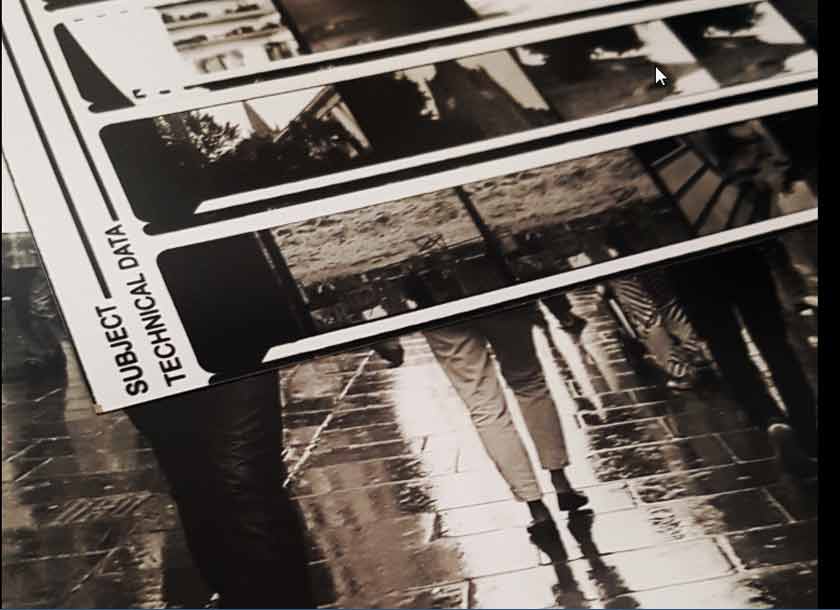
On this Adobe Photoshop Advanced Course learn how to work Photoshops built-in Camera RAW filter (ACR) directly inside the software.
- Directly import and edit Camera RAW files in the RAW plugin
- Understand none destructive editing with ACR
- AI Masking to refine and adjust
- Local Corrections Use graduated filter, radial filter, and adjustment brush for targeted edits to specific areas of your image
- RAW editing combined with Selected Photoshop edits
- Working with built-in RAW profiles
- Opening & editing RAW files in the ACR plugin
Design Photoshop Mockups on an Advanced Adobe Photoshop Training Course in the Midlands

Learn to create different mockups on this Photoshop course by adding a simple logo or mocking up a large advertising billboard or a product design of your choice.
This Photoshop advanced course shows how to create design visualisations on products to showcase the look of the product design before production.
- Add artwork to a range of products
- Create and design a mockup
- Work with SmartObjects & Blending Modes
- Create a base image
- Work with Vanishing Point to adjust perspective
- Refine the mockup using filters for focus and textures
- Add Shadows and Highlights
- Export Mockups
Flexible 24 /7 and Weekend Virtual Online Adobe Photoshop Training Courses
24 /7 & Weekend Adobe Photoshop Training
Our Online Photoshop Courses offer great flexibility timewise. Available on any time zone we can offer 24 hour availability including weekend training and overnight sessions.
Online training sessions run via the most popular video conferencing software including Zoom, Teams, Google and WebEx.
You have direct contact with the Photoshop Trainer throughout the duration of the course via video and audio link in real time and be in contact visually and audibly throughout the whole time.
Advanced Photoshop Training FAQs
How do Onsite Adobe Photoshop Advanced Training Courses in the Midlands work?
Our onsite Adobe Photoshop Advanced Courses are hosted onsite at your premises across the Midlands.
All the trainer needs is a room and screen to deliver the course. They bring their own laptop to the course and any files you need from us will be sent across at least a week prior to the course. If you need to send some to us then we’re happy to accept them via WeTransfer, Drop Box and Google Drive.
Training dates are flexible and booked at dates and times to suit your schedule
How do Online Adobe Photoshop Advanced Training Courses work?
Our Online Adobe Photoshop Advanced Training Courses are delivered virtually with a live instructor on a 24 /7 basis, overnight and including weekends. We are happy to work across timezones where necessary and welcome enquires from the USA, Europe
All of our online Photoshop training is held with a live trainer who you interact with in real time via video, chat and sharing screens in real time.
All the digital design courses are available online.
24 /7 and Weekend Online Advanced Adobe Training
Our Online Adobe Photoshop Courses are available on any time zone so we can offer 24 hour, evenings, overnight and weekends.
We run our online training sessions via the most popular video conferencing software including Zoom, Teams, Google and WebEx. It’s your choice which one you prefer.
Do you record the training sessions?
We are happy to record your training session unfortunately due to privacy issues we can only offer this on our one to one or closed company courses.
Where are onsite Adobe Training Courses available?
We deliver onsite Adobe Photoshop Advanced Training in the Midlands and the surrounding region including Lincolnshire, Yorkshire and Staffordshire
Environmental Bonus of Online Adobe Training
An added bonus of our online Adobe courses is obviously that no travel is involved meaning less evironmental impact on the planet which is massive bonus.
No fighting traffic or public transport just get up, have tea /coffee and something to eat, turn on the computer and we’ll be there ready to deliver your course.
And by the way we don’t care if you’re wearing your Jim-Jams or last night’s lopsided party hat.
If you have any questions about any of our Online Adobe Training courses please don’t hesitate to get in touch for an informal chat.
Who are the Adobe Photoshop Advanced Training Courses for?
Adobe Photoshop Advanced Training Courses are for anyone looking to take their photographic skills to the next level using Camera RAW, working with the video timeline and of course investigating Photoshop’s new AI tools.
You must be competent in the use of Photoshop as this is a very deep dive into the advanced side of the software
Certificate and Post Course Support
Is there a Certificate?
Each delegate receives a certificate of completion by email upon completing the course
What post course support do I get?
We offer full training support for one year from the date of the course. This is usually via email, a short video recording of the issue or it there’s a more complex problem then a face to face meeting with your course trainer via Zoom or Teams.
What other Adobe Training Courses do you run?
Any of our course portfolio can be combined with one another to create unique tailored Adobe Training to suit you.
View some of the most popular courses below.
- Adobe Photoshop AI Training
- Adobe Premiere Rush Video Editing for Mobiles
- Adobe Training Courses
- Adobe Express Training
- Adobe Photoshop and InDesign Training
- Introduction to Adobe Photoshop Social Media Graphics Training
- Introduction to Adobe Photoshop Training
- Introduction to Adobe InDesign Training
- Introduction to Adobe Acrobat Training
- Introduction to Adobe Premiere Pro Training
- Introduction to Adobe Lightroom Training
- Introduction to Adobe Illustrator Training
- Advanced Adobe InDesign Training
- Introduction to Affinity Publisher Training
- Introduction to Affinity Photo Training
How to Book an Adobe Photoshop Advanced Training Course
Booking with us
Please get in touch with us via the online booking form.
We’ll get in touch and send the details of booking reservation, find out your timeframe for training and then send across dates.
Once the booking is confirmed we then organise a pre-course call /meeting to discuss the course and any logistics around the day.
Payment
Payment for training is via BACS or Credit Card
Credit Card payment is via Stripe
*Greta Powell Training Ltd does not collect or store your card details.
Purchase Orders
We accept purchase orders from UK registered companies and the public sector.
Adobe Photoshop Advanced Training Course in the Midlands - Locations
We host face to face Adobe Photoshop training courses in the Midlands including Nottingham, Derby, Leicester, Birmingham, Sheffield and their surrounding areas
We deliver Photoshop training UK wide so please get in touch to discuss training and availability in your area.
Adobe PhotoShop Advanced Training Course in the Midlands
Managing the Photoshop Environment
Creating Tool Presets
Changing App Preferences
Customising Keystroke Cuts
Recording Actions
Batch Processing
Photoshop & AI Tools
Generative Fill /Firefly /Nano Banana & Flux
Generative Prompts /Using Prompts Effectively
AI Denoise /Topaz AI Sharpen
Neural Filters /Smooth Skin /Harmonisation /Colourise
Sky Replacement Tool
Layer Composition
Replace Colour & Colour Range
Refine Edge
Layer Comps
Vector Masks
Photoshop & Camera RAW
Work with Light & Colour
Use Effects such as Grain /Dehaze
Use Camera RAW’s Healing Tools
Camera RAW & Masks
Working with Presets
Camera RAW Properties
Photoshop & Camera RAW Filter
Access the Camera RAW filter inside Photoshop
Camera RAW Filter Limitations
Camera RAW and SmartObjects
Colour Correction
Auto Masking and Masking
Facial Adjustments and Enhancements
Photoshop and Colour Adjustments
Editing tone and colour
Advanced Adjustment Layers
Colour Correct using LAB
Channel Mixer command
Advanced Colour Replacement
Photoshop & Mockup Design
Creating and designing a mockup
Working with SmartObjects & Blending Modes
Create a base image
Work with Vanishing Point to adjust perspective
Refining the mockup using filters for focus and texture
Add Shadows and Highlights
Export Mockups
Video & Animations
Opening /Importing Video’s
Photoshop’s Timeline
Adding Video Layers
Editing /Modifying Video Layers
Text on Video
Video Export
Creating Small Animations
Frame by Frame Animation
Exporting GIF’s
Colour Adjustment
Tone and Colour
Adjustment Layers
Working with LAB
Channels & Channel Mixer
Selections from Channels
Blend & Combination of Alpha Channels
Working with Alpha Channels
Advanced Painting and Retouching
Refine Edges
Working with Mixer Brush
Working with Symmetry Brushes
Symmetry Options
Smart Filters
Blending
Advanced Selections
Global Refinements
Refine Edge Brush
Using the ‘Blend if’ Command
Advanced Selections using Channels
Saving /Loading Selections
Advanced Image Adjustments
Retouching skin tones
Sharpening with ‘LAB’ mode
‘Black and white’ conversion
Photo filters
Photoshop Actions
What are Actions?
Adding /Recording Actions
Editing Actions
Batch Actions
