Adobe Training Courses in Sheffield
Professional Adobe Training Courses across Sheffield and Yorkshire from specialist trainer Greta Powell.
- Adobe courses at all levels from Introduction to Advanced Training /Bespoke Tailored Adobe Workshops.
- Photoshop, Lightroom, InDesign, Premiere Pro, Illustrator Courses
- Virtual online via Zoom /Teams /Google or onsite training at your premises across the Yorks region
- Suitable for teams, departments, or large company-wide rollouts and individuals
- Closed, private training sessions / scheduled virtual online Adobe courses
Professional Adobe Training Courses in Sheffield
Our Adobe Training covers the major applications in Creative Cloud at alll levels. They’re available onsite at your premises across Sheffield and Yorkshire or as virtual online Zoom sessions.
We deliver photo editing, document layout, video editing and social media design in the most popular CC apps. These run from introduction to advanced levels and we also specialise in bespoke Adobe courses.
Including:
- Adobe Photoshop Training
- Adobe InDesign Training
- Adobe Premiere Pro Training
- Adobe Firefly Training
- AdobeLightroom Training
- Adobe Illustrator Training
- Adobe Express Training
Adobe Creative Cloud, Masterclasses & Single App Courses
- For Career Builders & Teams
If you need to master professional, end-to-end workflows such as moving assets between InDesign and Photoshop our Adobe Masterclasses are the ideal choice. These are designed for those who want to “own” the software and handle complex, real-world projects with total confidence. - For Specialists & Rapid Upskilling
If you already have a design foundation but need to bridge a specific skill gap such as product design in Illustrator or video editing in Premiere Pro our Single App Training provides a focused, deep-dive environment for fast results. - Bespoke Training Solutions
For teams with unique requirements, we offer Customised Mix-and-Match Courses. By blending specific modules from different apps (such as After Effects for motion with Premiere Pro for editing), we create a tailored Adobe workshop that aligns perfectly with your specific business goals and project workflows.
Adobe Training Courses
Our Adobe Training Courses are extremely flexible in content and level from introduction to advanced but we specialise in bepoke Adobe training and can design the course around you /your team and company groups.
- Introduction to Advanced Courses
- Bespoke Training
- Private Adobe Courses
Photoshop Training

Our intro course guides you through the essential tools and techniques for image editing, retouching, and compositing. Learn how to enhance photographs, create visual effects, and prepare graphics for both print and digital media.
Whether you’re working on marketing materials, product photography, or social media visuals, our hands-on Photoshop Advanced sessions help you build practical skills to achieve professional, high-quality results.
On the advanced training you’d learn to work with confidence using ACR (RAW plugin), advanced AI techniques, designing short videos and creating and editing product mockups.
Looking for a Photoshop Course?
Introduction to Adobe Photoshop Training
Advanced Adobe Photoshop Training
Adobe Photoshop AI Training
Adobe InDesign Training

Designed for both beginners and experienced users, our training courses cover everything from setting up documents and managing typography, automating long documents using TOC’s, Indexes etc to creating interactive PDFs and print-ready publications. You’ll learn how to streamline your design process, maintain brand consistency, and produce polished layouts for brochures, magazines, reports, and digital publications.
With expert guidance and hands-on exercises, you’ll leave the course confident in using InDesign to bring your creative ideas to life efficiently and professionally.
Looking for an Adobe InDesign Course?
We run set InDesign Courses from introduction through to advanced levels any of which can be tailored and designed around you.
Adobe InDesign Introduction Training
Adobe InDesign Intermediate Training
Adobe InDesign Advanced
Training Course for Teams
Boutique Adobe InDesign Courses
Adobe InDesign Training for Interactive PDFS
Design POD (print on demand) books in Adobe InDesign for Kindle, Amazon KDP Training
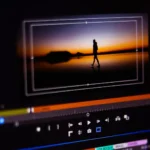
Adobe Premiere Pro Training

This practical video editing course covers essential Premiere Pro workflows including timeline editing, sequence management, colour correction, audio enhancement, transitions and exporting content for web, social media and professional presentations.
Ideal for marketers, content creators, communications teams and in-house media departments, the training helps you create polished video content more efficiently while improving editing confidence and production workflows.
Adobe Premiere Pro Introduction Course
Adobe Premiere Pro Intermediate Course
Adobe Premiere Pro Advanced Course
Bespoke Video Editing Training
Interview Editing Course in Adobe Premiere Pro
Adobe Firefly Training

Explore AI-powered creativity with our Adobe Firefly training courses in Sheffield.
This practical Adobe Firefly course introduces you to generative AI workflows for creating images, text effects, design concepts and marketing content using Adobe’s AI creative tools.
Learn how to generate, edit and refine visuals for social media, branding, presentations and digital campaigns while integrating Firefly with applications such as Photoshop and Illustrator.
Ideal for marketers, designers, content creators and creative teams, the training helps you speed up creative workflows, develop ideas more efficiently and produce high-quality visual content using generative AI tools.
Looking for Firefly Training?
Adobe Firefly Introduction Course
Adobe Illustrator Training
Discover the power of vector graphics with our Adobe Illustrator training. Ideal for designers, marketers, and creative professionals, this course teaches you how to create scalable artwork for logos, icons, illustrations, and infographics.
You’ll work with shapes, geometric tools, colour management, and typography to produce clean, consistent, and brand ready designs. With expert guidance and step-by-step projects, you’ll gain the knowledge and confidence to turn your creative concepts into precise, professional vector artwork.
Looking for Adobe Illustrator Training?
Adobe Illustrator Introduction Course
Adobe Illustrator Advanced Course
Bespoke Adobe Illustrator Training
Adobe Illustrator for Fashion Training
Adobe Express for Social Media Marketing Training

On this Adobe Express training learn how to design and publish eye catching graphics, social media posts, and marketing materials in minutes. Express is content rich with templates, brand kits, videos and intuitive design features meaning you’ll be designing and publishing virtually immediately
Ideal for small businesses, marketing teams, or anyone short on time, this Adobe Express Course will having you producing and scheduling professional visuals that maintain brand consistency across all your channels.
Looking for Adobe Express Training?
Adobe Lightroom Training Courses

You’ll learn how to manage large photo libraries, make non-destructive adjustments, and create consistent, professional edits across your entire portfolio.
From colour correction and tonal adjustment to exporting images for print and web, this hands-on course will help you achieve stunning, polished results while saving valuable time in your editing process.
*Optional – streamline your workflow even more by incorporating AI tools such as
- AI Denoise, analyse RAW files to remove high-ISO digital noise to preserve fine textures like fur or feathers.
- Lens Blur, create a depth map of the scen to add realistic bokeh or adjust the focal range in post.
- Assisted Culling: Currently in Early Access, this tool identifies the best photos from a large set & filters by facial features etc
- Adaptive Presets apply specific filters

Bespoke Adobe Training Courses
If you want to cover more specific content than our set overviews why not get in touch with us to discuss our tailored bespoke Adobe training courses held onsite across Yorkshire. Private bespoke training is available for 121 sessions, company groups and large team rollouts.
Online Adobe Training Courses
Prefer to learn from the comfort of your office or home?
All virtual Online Adobe Training Courses run with a live trainer and are also available 24 /7 including weekends & overnight.
Adobe Training Webinars
If you’re looking to cover a specific topic or need to look at streamlining workflows then why not let us organise a Webinar for you. These are ideal when you have a large group /multiple departments looking to update or to learn specific work skills.
5* Reviews for Greta Powell Training
Five Day Adobe MasterClass
“Greta has been awesome right from the word go. I particularly loved her patience in explaining things to us across the 5 days and boy did she get some questions.
It’s been a fantastic experience doing the course online and I can’t wait to put it all into practice. If you’re thinking of up-skilling your team and bringing design work in-house to save money then I fully recommend Greta’s courses.
Melanie Summers, Marketing & Communications Manager
University of Sheffield
Bespoke Adobe InDesign Workshop
Although I have used InDesign for years I found this course very informative. My knowledge of InDesign has increased dramatically. The trainer was very knowledgable and really knew her stuff.
Designer, Design and Production Team
Excellent, she met all our additional requirements for our individual team.
Designer, Design and Production Team
I really enoyed the course. There was a lot to take in but all useful stuff that I can take away and use. Well presented, thank you Greta.
Designer, Design and Production Team
Dep of Work and Pensions (DWP) – Sheffield City Centre
Introduction to Adobe Premiere Pro Course
Greta thank you so much. We really enjoyed the Premiere Pro Course. Fingers crossed we can make great use of it.
Lynette, Membership Services Manager
England Boxing, Sheffield
Why choose Greta Powell Training?
Meet Greta, less jargon, more tea and stacks of experience
Pricing for Adobe Training Courses
Bespoke Corporate Team Workshops from £600.00 per day for up to 5 delegates including tailored content prep and post course support.
Tailored Adobe Training for individuals from £350.00 per day
Tailored proposals provided following a short consultation
Adobe Training Courses and FAQ's
Our Adobe Training Courses
We have a wide portfolio of Adobe Training Courses all available from the menu at the top of the screen but it would be fair to say we run training in the majority of Adobe’s most popular apps.
Take a look below to view the ones we’ve delivered recently.
We also deliver training in the Affinity Suite including Publisher, Designer and Photo.
These are a few of the most recent courses delivered across Yorkshire and Sheffield.
- Adobe Creative Cloud Training
- Adobe MasterClass Training
- Adobe Express Training
- Introduction to Adobe Photoshop Training
- Introduction to Adobe Photoshop Social Media Graphics Training
- Adobe Photoshop Elements Training
- Introduction to Adobe InDesign Training
- Intermediate Adobe InDesign Training
- Introduction to Adobe Acrobat Training
- Introduction to Adobe Premiere Pro Training
- Adobe Lightroom Training
- Introduction to Affinity Publisher Training
- Introduction to Affinity Photo Training
How do Onsite Tailored Adobe Training Courses in Sheffield work?
Our Onsite Adobe Creative Cloud Training Courses are hosted on your premises in Sheffield and across Yorkshire and surrounding areas including Derby, Chesterfield, Matlock and UK Wide.
We provide flexibility with booking dates which work to your schedule.
The training course is focused entirely upon you and your company requirements and can be tailored to suit you.
We are happy to tailor the Photoshop content to suit you.
The trainer comes direct to you so there’s no travelling involved for you or your team saving them travel and expenses.
Once the course is booked we organise an online chat with your trainer to discuss the content and any logistics involved in the course.
How do virtual online Adobe Training Courses work?
Our online Adobe Training Courses run virtually with a live instructor giving you direct contact with them throughout the training via video, chat & screen share.
We run this online training via all the most popular video conferencing software including Zoom, Teams, Google and WebEx. It’s your choice which one you prefer.
Do you record the Adobe Training Courses?C
Yes we do but due to privacy issues we can do this for individual or closed company sessions
24 /7 Hour Training
Online training is available on a 24 /7 basis including overnight and during weekends.
Pre-Course Chat
Once the course is booked in we organise a voice call /online meeting to discuss the course content and structure ensuring the training goes smoothly.
All our digital design courses are available online.
Adobe Training Courses Sheffield Reviews
Online Adobe Creative Cloud Training 5 day course
University of Sheffield
“Greta has been awesome right from the word go. I particularly loved her patience in explaining things to us across the 5 days and boy did she get some questions.
It’s been a fantastic experience doing the course online and I can’t wait to put it all into practice. If you’re thinking of up-skilling your team and bringing design work in-house to save money then I fully recommend Greta’s courses.
What an all round lovely lady with amazing skills.”
Melanie S
Marketing & Communications Manager
University of Sheffield
DWP (Department of Work and Pensions)
“Although I have used InDesign for years I found this course very informative. My knowledge of InDesign has increased dramatically. Trainer was very knowledgeable and really knew her stuff.
Design & Production
Excellent, met all our additional requirements for our individual team.
Design & Production
I really enjoyed the course. There was a lot to take in but all useful stuff that I can take away and use. Well presented, thank you Greta.”
Design & Production Team
DWP (Department of Work & Pensions)
24 /7 and Weekend Online Adobe Training Courses
Our Adobe Training is available on any time zone, we offer 24 hour availability including evenings, over-night and during weekends.
We run our online training sessions via the most popular video conferencing software including Zoom, Teams, Google and WebEx. It’s your choice which one you prefer.
1 /2 Day Virtual Online Adobe Courses
We appreciate that no everyone likes their training over one full day so if preferred we split the full days into 1 /2 day sessions which can be booked over a few weeks.
Unfortunately we can only offer this for online Adobe training courses
What post course support is there after an Adobe Course?
We offer full post course support for as long as you need it with Greta. If she can’t fix the issue by email or voice call the next step is a Zoom /Teams meeting to discuss it.
Adobe Post Course support is forever, but don’t worry most people don’t need it after the training.
Who is the Adobe Training suitable for?
These are great for anyone wishing to acquire design skills for image editing, brochure design or editing video for social media at all levels. You can learn from scratch with our Adobe Courses for Beginners or choose a more advanced tailored approach depending on your skill-set.
Our courses are extremely popular with small businesses looking to bring their design in-house or cut down on external design but over the years we’ve run courses courses for both public and private sectors.
In short Content Creators, Small Business Owners, Marketing Departments, Social Media Teams, Brand Development Agencies, Educators and Publishers, Construction, Warehousing and Logistics to name but a few.
As well as corporate Adobe courses our training is fully customisable making it ideal for anyone looking to improve their CV, update their design portfolio for business or personal project making us a perfect fit fit for both business and home users looking for a more targeted approach to their course.
Do I receive a Certificate?
Is there a Certificate?
Each delegate receives a certificate of completion by email upon completing the course.
How to Book Adobe Training Courses in Sheffield
Booking with us
Please get in touch with us via the online booking form.
We will then get in touch and send the details of booking reservation and find out your timeframe for training.
We will then send across dates.
Once the booking is confirmed we then organise a pre-course call /meeting to discuss the course and any logistics around the day.
Payment
Payment for training is via BACS or Credit Card
Credit Card payment is via Stripe
*Greta Powell Training Ltd does not collect or store your card details.
Purchase Orders
We accept purchase orders from UK registered companies and the public sector.
Adobe Training Courses in Sheffield - Overviews
Combination Courses 2 to 3 days
Our Adobe Creative Cloud courses let you mix course content, course levels and how many days per course The choice is yours whether its a one day Photoshop course combined with two days of InDesign or two day Photoshop or one day Illustrator.
Adobe Creative Cloud Course
Day One – Photoshop Course
The Photoshop course is a complete introduction to Photoshop Tools & the Photoshop interface it shows how to restore, and professionally enhance picture elements.
Adobe Creative Cloud Course (5 Days)
A 5 day intro and intermediate course to the most popular Adobe components – InDesign, Photoshop, Illustrator, Acrobat
Adobe Creative Cloud Graphic Design Course
A three day introduction to the four main components of Adobe Creative Cloud including InDesign, Photoshop, Illustrator, Acrobat. Unlike many Adobe Courses this Adobe Creative Cloud course combines all the elements of working with design. Preparation of images in Photoshop, layout of documents using the images and designing vector art in Illustrator.
The Adobe Creative Cloud course concludes by pulling everything together and sending it for print or digital output.
Adobe Creative Cloud Course
Day Two – InDesign Course
In addition to learning the software InDesign course includes design techniques, professional layout, branding guidelines, consistent colour and type.
Adobe Video Editing & Animation
A 2 day course working with Adobe Premier Pro & Adobe After Effects. Learn to create animations and videos on this short intensive video editing course.
Adobe Creative Cloud Course
Day Three – Illustrator Course
The third day covers the creation of vector artwork in Illustrator covering logo design, traced artwork and colouring and shading. All artwork is then incorporated into yesterdays InDesign Course layouts along with the Photoshop Course images. The day is rounded off using Acrobat to create top quality professional documentation
Adobe Creative Cloud Express
Add Adobe CC Express into the mix and design and create fast and easy social media posts.