Adobe Creative Cloud Masterclass Programme

A fully tailored Adobe Masterclass course designed around your skills, your projects and the way you work. Whether you’re refreshing existing knowledge or building new capabilities, these sessions adapt to you practical, hands‑on and focused on real‑world results.

  • 1–5 day tailored training
  • For individuals, teams and departments
  • Suitable for all levels
  • Delivered onsite or live online

Course overview

These Adobe Masterclasses provide a clear, practical overview of the tools and features you need to work more confidently and efficiently. The session is fully tailored to your level /s and because it’s bespoke will focus on the areas most relevant to your work or projects.

How the training works

The training is delivered in a clear, structured format and is adapted to the pace and level of the group. Sessions combine demonstration with guided practice, allowing you to work through each feature step‑by‑step. Content can be adjusted as you go, ensuring the session stays relevant to the tasks and projects you need to complete.

Masterclasses are between three to five days long depending on which you choose. It could be two days of Premiere Pro and one day of AfterEffects or five days learning InDesign, Photoshop and Acrobat for print output or social media. 

Not sure which you need?

Get in touch to discuss your options

Who is the training for

This Masterclass is suitable for anyone who needs a clear, structured approach to developing their Adobe skills. It works well for individuals, teams and organisations looking to improve confidence, streamline workflows or gain a better understanding of the tools they use in day‑to‑day work.

It’s very popular with:

  • small business owners
  • company teams /organisations and larger groups looking to upskill /level out their teams skill-set
  • career switchers, marketers, designers and content creators

Onsite and Online Adobe Training with flexible dates and hybrid courses

Choose the right training format that suits you

  • Onsite Adobe Training hosted on your premises UK wide that’s fully tailored to both your software and workflow.
  • Virtual Online Adobe Training with live interactive sessions via Zoom, Teams or Google.
  • Hybrid Adobe Courses with a mix and match of onsite and online
  • Perfect for individuals or company groups
  • Virtual online training offers the added bonus of complete flexibility with time including, evenings and weekends.

Course content

Onsite Adobe Training Courses UK WideIf you’re looking to build a broader understanding of multiple Adobe Creative Cloud applications, this Masterclass brings everything together in one structured programme. 

You can select any combination of Adobe software and choose the level that suits you, from introduction through to advanced.

Flexible software options

The Masterclass can include applications such as InDesign, Illustrator, Photoshop, Premiere Pro, Adobe Express and more. Simply choose the software and level you want to focus on, and the session will be tailored around your goals and workflow.

Adobe InDesign – Layout and Document Design

Online Adobe InDesign Courses for BeginnersDevelop practical skills in professional page layout and design using industry‑standard Adobe tools. Training can include setting up documents, managing typography, working with styles, and preparing artwork for both print and digital output.

You’ll learn how to streamline your workflow, maintain consistency using templates, libraries and typographic styles, and produce polished layouts for brochures, reports, magazines and digital publications. With demonstrations and hands‑on exercises, you’ll build confidence in applying these techniques to real‑world design projects.

Adobe Photoshop Training Courses

Online Photoshop Training Courses in Zoom with Greta PowellBuild practical skills in digital imaging using Adobe Photoshop. Training can cover essential tools and techniques for image editing, retouching, colour correction and compositing, helping you enhance photographs and create visuals for both print and digital use.

Whether you’re working on marketing materials, product photography or social media content, you’ll develop a solid understanding of how to achieve professional, high‑quality results. Through guided demonstrations and hands‑on exercises, you’ll gain confidence in applying Photoshop techniques to real‑world creative projects.
Adobe Premiere Pro – Video Editing and Production

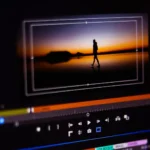
Adobe Premiere Pro MasterClass from Greta Powell Training onsite at your premises or online via Zoom or TeamsDevelop practical video editing skills using Adobe Premiere Pro. Training can cover core editing techniques, timeline management, colour correction, audio enhancement and exporting high‑quality video for a range of platforms.

Ideal for marketers, content creators and communications teams, this focus area helps you streamline your workflow and produce polished video content for social media, websites and presentations. 

Through guided demonstrations and hands‑on practice, you’ll gain confidence in creating clear, engaging visual stories.

Adobe Illustrator – Vector Graphics and Illustration

Adobe Illustrator Training Courses in the Midlands and virtual online Adobe TrainingDevelop your vector‑based design skills using Adobe Illustrator. Training can cover creating scalable artwork for logos, icons, illustrations, infographics and product design, using the full range of Illustrator’s drawing and shape‑building tools.

You’ll work with geometric tools, colour management, typography and styles to produce clean, consistent and brand‑ready graphics. 

Through guided demonstrations and step‑by‑step projects, you’ll build the confidence to turn creative concepts into precise, professional vector artwork.

Adobe Express, Quick Content Creation for Social Media and Marketing

Adobe Express Training Courses for Social Media DesignLearn how to create fast, highly visual content using Adobe Express. Training can cover designing and publishing eye‑catching graphics, social media posts, short‑form videos and marketing materials in minutes, using Express’s templates, brand kits and intuitive design tools.

Ideal for small businesses, marketing teams or anyone short on time, this focus area helps you produce consistent, professional visuals that can be created, edited and scheduled quickly across all your channels. With guided demonstrations and hands‑on practice, you’ll gain the confidence to design and publish content almost immediately.
Adobe Lightroom, Photo Management and Enhancement

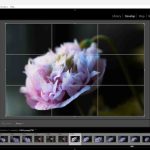
Private Adobe Lightroom Training Courses online and onsite UK WideStrengthen your photography workflow with Adobe Lightroom. Training can cover organising and managing large photo libraries, making non‑destructive adjustments and creating consistent, professional edits across your entire collection.

You’ll explore colour correction, tonal adjustments, batch editing, presets and exporting images for both print and digital use. Through guided demonstrations and hands‑on practice, you’ll learn how to achieve polished, high‑quality results while saving valuable time in your editing process.

Adobe Photoshop Elements Training Courses

Adobe Photoshop Elements Training CourseLearn how to organise, enhance and creatively edit your images using Adobe Photoshop Elements. Training can cover colour and exposure correction, removing unwanted objects, applying effects and working with Elements’ simplified, beginner‑friendly workflows.

Ideal for home users, hobbyists and anyone wanting to improve everyday photo editing, this focus area helps you produce polished results quickly and confidently. Whether you’re enhancing holiday photos, creating personalised projects or preparing images to share online, you’ll gain practical skills you can use straight away.

Adobe Creative Cloud Training Course FAQs

Our online Adobe Courses run virtually with a live instructor giving you direct contact with them throughout the training via video, chat & screen share.

We run this online training via all the most popular video conferencing software including Zoom, Teams, Google and WebEx. It’s your choice which one you prefer.

Our Adobe Creative Cloud Training Courses are hosted on your premises, either your offices or home. They are available UK Wide with flexible dates and times

This Creative Cloud training is ideal for either corporate teams or home users looking to master Adobe tools for work, projects, and creative growth

We do but due to privacy issues are only able to record for individual or closed company sessions

Online Adobe Training is available 24 / 7 including evenings, overnight and weekend. 

1 /2 Day Training Blocks

We appreciate that not everyone likes a full day of training so for online training courses we can split all the full days into half days.

Unfortunately we can only offer these options for Online Training Courses

1 /2 Day Online Adobe Training Blocks

We appreciate that not everyone likes a full day of training so for online training courses we can split all the full days into half days.

Unfortunately we can only offer these options for Online Training Courses

Adobe Creative Cloud Training Courses - Content Overview

Combination Courses 2 to 3 days

Our Adobe Creative Cloud courses let you mix course content, course levels and days per course.

It’s your choice whether you combine one day Photoshop course with two days of InDesign or two day Photoshop or one day Illustrator.

Adobe Creative Cloud (DTP & Design) course example

A three day introduction to the four main components of Adobe Creative Cloud including InDesign, Photoshop, Illustrator, Acrobat. Unlike many Adobe Courses this Adobe Creative Cloud course combines all the elements of working with design. Preparation of images in Photoshop, layout of documents using the images and designing vector art in Illustrator.

The Adobe Creative Cloud course concludes by pulling everything together and sending it for print or digital output.

Adobe Creative Cloud Course (3 days)

Day One – Photoshop Course
The Photoshop course is a complete introduction to Photoshop Tools & the Photoshop interface.

Learn how to enhance and repair your photo’s to achieve a professional result.

Find out how to achieve best results for both print and digital output and design for print, web and social media publishing

Adobe Creative Cloud Course

Day Two – InDesign Course
Meet InDesign from the very beginning and learn how to setup, edit and design flyers, stationary, brochures, tenders and a range of other publications.

Learn to work in brand using colour /colour swatches, type /type styles and templates.

Place and position photos in your text and discover how to create spectacular layouts.

This course starts at the beginning and ends at the end where you learn to publish documents to print or digital.

Adobe Creative Cloud Course - Optional

Day Three – Adobe Illustrator Course

Work with Illustrator to create clean vector artwork.

On this Illustrator course you’ll learn how to design logo’s from scratch, edit existing artwork and working with the pen tool draw your own from scratch.

The course will show you how to work with colours and gradient to produce shading and design effects

Adobe Creative Cloud Course - Optional

Day Three – Adobe Express Course
Work with Illustrator to create clean vector artwork.

On this Illustrator course you’ll learn how to design logo’s from scratch, edit existing artwork and working with the pen tool draw your own from scratch.

The course will show you how to work with colours and gradient to produce shading and design effects

Adobe Creative Cloud Course (5 Days)

A 5 day introduction course adding Adobe Premiere Pro and Adobe After Effects to the 3 day course.

Adobe Premiere Pro

Day 4 – Premiere Pro
Learn the basics of Premiere Pro to create a range of footage for marketing and social media.

Starting with the basics learn how to work with video and audio tracks. Enhance video and improve audio footage.

Learn the timeline and how to add keyframing, transitions and effects to clips.

Publish to social media, web and broadcasts

course working with Adobe Premiere Pro & Adobe After Effects.

Learn to create animations and videos on this short intensive video editing course.