
Save during July with our
Online Affinity Photo Training Course
This Introduction to Online Affinity Photo Training shows you how to work with photo editing software to give your photography a professional edge.
During the course you’ll learn how to work with Affinity Photo to improve, repair and retouch your images.
This is a one day photo editing course held online via Zoom.
Online Offer
Online Introduction to Affinity Photo Course via Zoom
31st July 2025 / 10:00 AM
£100.00 all inc per person
What do you learn on an Introduction to Affinity Photo Course?
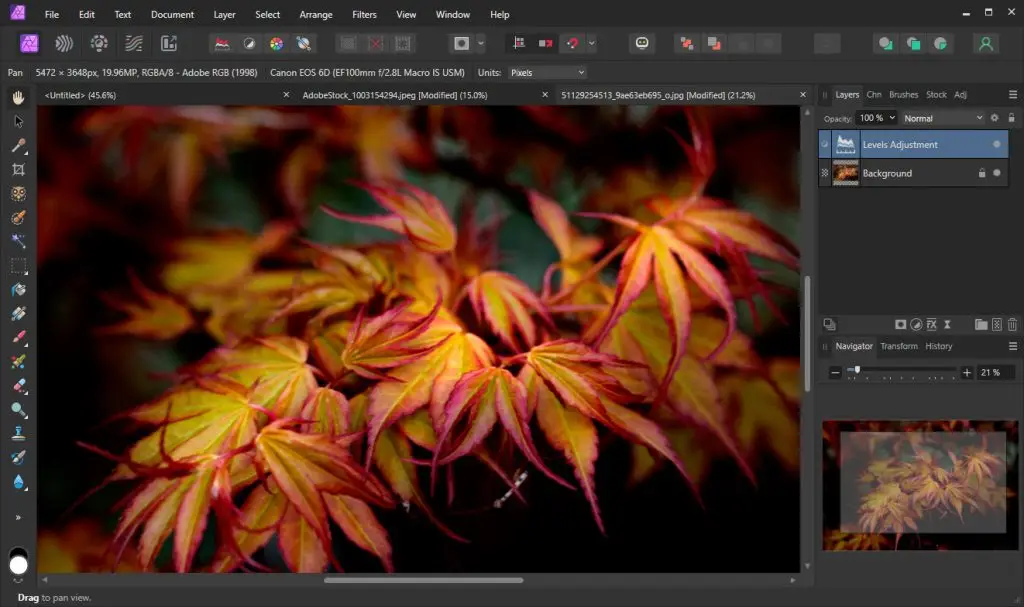
The course covers Affinity Photos Interface, Tools and Panels
Learn how to work with Layers and make Accurate Selections
Create and design for print, web and social media
Retouch, Recolour and Edit Photographs
Understand the different file formats involved in working with photographs for digital and print.
Whatever the flavour
Macro
Landscape
Street Photography
Whatever photography you shoot you’ll learn how to enhance, repair and retouch your photos on this online Affinity Photo for Beginners Training Course.
Whether you shoot macro, prefer landscape or street photography our trainer will show you how to work in image editing software to give your photography an added edge and professional sheen.
Register for Affinity Photo Training
Affinity Photo Training Course
Learn to create and edit and design photography for print, web and social media design
To reserve your place /s on the InDesign Course please complete the booking confirmation form to complete your registration.
We will get in touch with you shortly to complete the booking.
We accept payment via online payments, BAC’s transfer or Purchase Orders for invoicing.
Affinity Photo Training
This is a One Day Course
Course price £100.00 all inc per person
Affinity Photo Introduction Training FAQ
What is Affinity Photo?
Affinity
Affinity Photo is photo editing software created by Serif.
It’s great for editing and retouching using RAW format, adjustment layers, masking, clone/heal tools, frequency separation, inpainting, liquify workspace for enhancing portraiture.
Affinity Photo is a full-featured, professional photo editing app ideal for:
Photographers needing RAW processing and detailed retouching.
Designers working with complex compositions.
Anyone who wants Photoshop-level power without subscription fees.
Who is this Affinity Photo Course for?
fdfd
How does Online Affinity Photo Training work?
This one day Affinity course runs via Zoom.
Once the course is booked in you’ll receive Zoom invite meeting for the 31st of July 2025 starting at 10.00 AM.
Files for the course will be sent to you via WeTransfer at the same time as the Zoom meeting.
Online Affinity Photo Training Courses are held with a live instructor with screen shares, chat and live interaction at all times.
What do you learn on this Affinity Photo Course?
The course covers Affinity Photos interface, its basic tools and shows how to work with layers, selections and adjustment layers.
It starts with the basic skills such as opening, creating, saving and exporting images and explains the different file formats involved in working with photographs for digital and print.
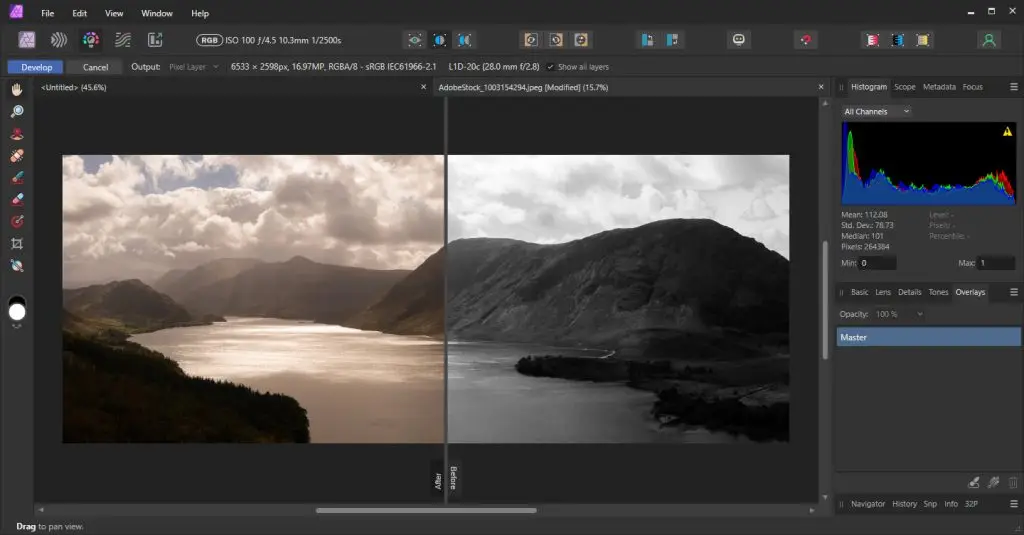
As the course continues a wide variety of additional skills are added including colour and tone adjustments, working with brushes and working with other Affinity’s other ‘personas’.
Certificate and Post Course Support
Certificate of Completion
You receive a certificate of completion at the end of the course which will be sent out by email
Post Course Support
There is a full six months post course support via email and video
How to Book the Affinity Photo Training Course
Booking with us
Register by the online form and we’ll get in touch and send you the details of booking reservation and details about how to pay.
Once the booking is confirmed we then organise a pre-course call /meeting to discuss the course and any logistics around the day.
We accept payment by:
Payment for training is via BACS or Credit Card
Credit Card payment is via Stripe
*Greta Powell Training Ltd does not collect or store your card details.
Purchase Orders
We accept purchase orders from UK registered companies and the public sector.
Affinity Photo Training Course - Content Overview
The Affinity Workspace
Tools
Workspace
Window Menu
Destructive v None Destructive Workflows
Page Setup
Layers
New, Edit & Delete Layers
Adjustment Layers
Live Filter Layers
Pixel Layers
Layer Properties
Quick Masks
Creating a Quick Mask
Toggle On /Toggle Off
Mask Views
Image Practicalities
Image & Canvas Sizing
Bitmap & Vectors
Image Cropping
Brushes
New Brushes
Brush Control
> Hardness, Opacity & Blend
> Tolerance, Contiguous
Brush Dialogue Box
Masks & Mask Layers
Creating /Edit a Mask Layer
New Mask Layer
New Empty Mask Layer
Selection Tools
Marquee Tools
Freehand Selection Tool
Flood Select Tool
Select Menu
Colour Correction & Adjustment Layers
Use Adjustment layers
Levels and curves
Hue and saturation
Shadow and highlights
Clipping Layers
Creating Shapes
Placing Images
Create a Clipping
Move /Edit Content
Image Adjustments
Photoshop Interface /Workspaces
Photoshop Tools /Properties
Photoshop Panels / Menu’s
Colour Adjustment
Channels
Colour Panel
Swatches Panel
RGB /CMYK
Levels Adjustment Layer
Clone & Content Aware Tools
Inpainting Brush
Inpainting Fill Tool
Clone Stamp Tool
Frequency Separations
Sharpening
Unsharp Mask
Radius, Factor, Tolerance
Selective Sharpening
Affinity Persona Modes
Photo Persona
Liquify Persona
Develop Persona
Tone Mapping Persona
Export Persona
Import /Export
PSD Images
Export to Web /Print /Video
Image Size Compression
Export Persona
