Adobe Photoshop Training Course in Cheshire

This beginners Adobe Photoshop Training in Cheshire covers the essential tools and techniques you need to create and edit images to a professional level.

  • Create & design polished visuals for print, social media and digital output
  • Photoshop Training for Teams, Individuals and Company Groups
  • Online, live instructor led training via Zoom /Teams /Google or onsite at your premises

Introduction to Adobe Photoshop Training Course

This Introduction to Adobe Photoshop course is designed for complete beginners and anyone new to image editing. You’ll learn how to navigate the Photoshop workspace, edit and improve photos, work with layers, make simple selections, and add text and effects.

With clear, step-by-step guidance and hands-on exercises, this course helps you build a strong foundation in Photoshop so you can start creating professional-looking graphics with confidence.

Bespoke Adobe Photoshop Training Courses

  • Custom Photoshop training sessions that focus on your exact needs, ensuring training time is efficient, relevant, and immediately applicable in the workplace or at home.

  • Hands-On & Practical with a focus on real world tasks, so you leave not just knowing software features, but able to use them confidently in day to day work. Please feel free to include your own files.

  • Design your course with your trainer in a pre-course video meeting to discuss the exact content to include

  • Online Photoshop training is live instructor led and available at flexible times and dates to suit you, overnight, weekend with short Photoshop learning sessions that break the training into more managable bite sizes.

Onsite and Online Adobe Photoshop and Lightroom Training Course Outlines

Photoshop Elements

Visit our Photoshop Elements Course

Photoshop Intermediate

Visit our Photoshop Intermediate Course

Photoshop Advanced

Visit our Photoshop Advanced Course

Adobe Lightroom

Visit our Adobe Lightroom Course

What do you learn on this Introduction to Adobe Photoshop Training Course?

This Photoshop for beginners course gives the skills needed to create and design professional looking beautiful images for print, digital and social media. This is a flexible course that can be tailored around your own aims and projects.

Some of the things that you can learn on this course are: 

  • Create, edit and enhance photos for social media (Instagram, Facebook, Linkedin etc)

  • Work with product design 

  • Design branded templates and presets

  • Retouch and recolour images for print, web and digital

  • Prepare and publish professional artwork forprint, web and digital output

  • Navigate the Photoshop interface /workspace and tools with confidence

  • Edit and enhance photos for social media use

  • Work with product design, create social media posts and web banners.

  • Learn to work effectively with Photoshops AI Tools

  • Create compelling text overlays and promotional graphics

  • Design branded templates /presets for posts, stories, and ads

  • Optimize and publish image posts for different platforms (Instagram, Facebook, LinkedIn, etc.)

  • Apply non-destructive editing techniques for efficiency and flexibility

  • Learn Layers and Adjustment Layers

View the full Introduction to Adobe Photoshop Course Content

Greta Powell Training Verified 5* reviews

Greta Powell Training Verified Reviews

Check out all our five star verified reviews from reviews.io

Online Adobe Photoshop Training for Beginners

Adobe Photoshop Training in CheshireThis online Photoshop Training Course for Beginners runs for two days and is available via video conferencing software including Zoom, Google and Teams.

Online Adobe Training is super flexible because we can run it on a 24 /7 basis, overnight and weekends included.

Find out more about how online Photoshop Training works

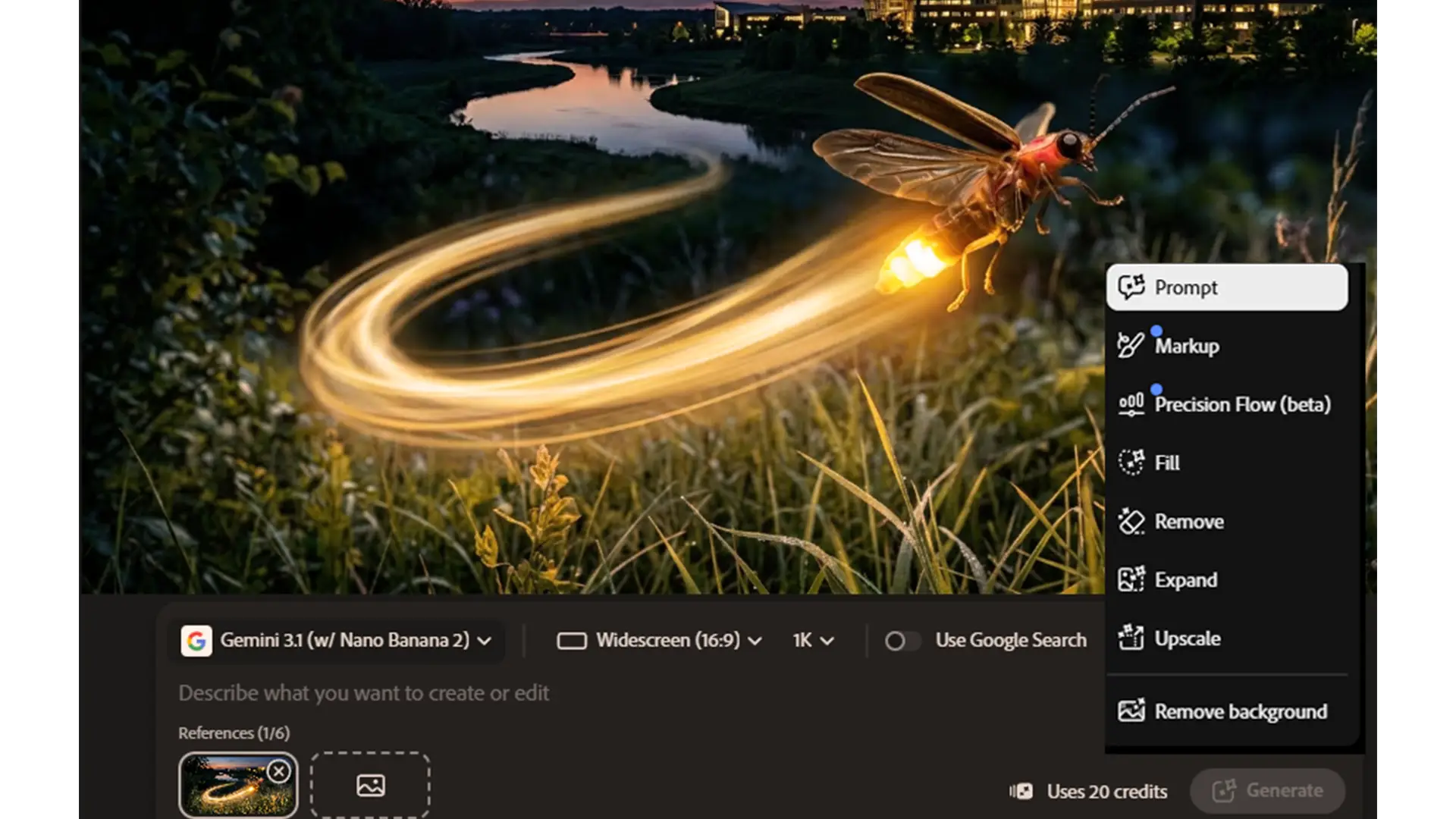
Adobe Photoshop AI Tools

A Photoshop AI photo generated on a Greta Powell Training CoursesBecause our Photoshop courses are flexible with both timings and content they are constantly updated to take into account all the new features and tools especially Photoshops AI ones.

We cover the geneative fill tools, Expand, Replacing Backgrounds and also generate text to images like the camera image on the left. Learn to harmonise layers, enhance and retouch facial features using Photoshops AI Neural Filters and find ot how to create high impact text using dynamics.

Adobe Photoshop Training Course FAQs

Photoshop Training in CheshireAs well as our onsite courses we also run this as an Online Quickstart Photoshop Training session.

All of our virtual Photoshop training is run with a live instructor who you can interact with throughout your course via video, chat and sharing screens in real time. 

24 /7 Training

Our courses are available 24 /7 including overnight and during weekends.

Do you record the courses?

Yes we do but unfortunately due to privacy issues we can only offer this for one to one sessions or company groups.

Half Day Training Blocks

We know for some people that full days of intensive training can be a bit much. Because of the flexibility of online training sessions full day courses can be broken down into two 1 /2 blocks.

We come directly out to you onsite across Cheshire to deliver your training courses at times and dates to suit you.

This is an introduction to Adobe Photoshop Training Course so ideal for beginners or those with a little experience.

We always organise an online meeting /voice call prior to the training to ensure you get the exact content and course delivery you want.

We run a wide range of onsite Adobe Training Courses across the Northampton region, the Midlands and UK wide and in short are happy to visit you wherever you’re located.

Our courses are ideal for either 121 sessions or companies looking for a more private and custom approach to their Photoshop training event.

There are a wide range of courses to choose from including our Introduction to Advanced ones but our tailored Photoshop courses are always extremely popular.

Our online Photoshop Courses are available on any time zone so we can offer 24 hour availability including evenings, overnight and during weekends.

We run our online Adobe training sessions via the most popular video conferencing software including Zoom, Teams, Google and WebEX. 

We appreciate that not everyone wants a full day’s training. So for online courses there is an option to break the full days down into half days.

For example a two day course could be broken down into four half days over the duration of a week or two. Please mention at the time of the booking if you prefer this option.

Unfortunately we can only offer this with online training.

Visit our blog to find out more about why tailored Adobe Training Courses work well for everyone looking for a more bespoke approach to their training.


Tailored Adobe Digital Design Training

Our onsite Photoshop courses are run UK wide including all major cities and their surrounding regions. Rutland, Lincoln, Cheshire, Birmingham, London, Grantham, Sheffield, Cheltenham , Blackpool, Liverpool, The Wirral, Northampton, Peterborough, Milton Keynes.

Booking with us

Please get in touch with us via the online booking form.

We will then get in touch and send the details of booking reservation and find out your timeframe for training.

We will then send across dates.

Once the booking is confirmed we then organise a pre-course call /meeting to discuss the course and any logistics around the day.

Payment

Payment for training is via BACS or Credit Card

Credit Card payment is via Stripe

*Greta Powell Training Ltd does not collect or store your card details.

Purchase Orders

We accept purchase orders from UK registered companies and the public sector.

Adobe Photoshop Training Locations

Onsite Adobe Courses are available at your premises UK.

Across Cheshire & the Northwest we visit Liverpool, Manchester, Crewe, Runcorn, Wilmslow, Stockport, Rotherham, Blackpool and all their surrounding areas.

Find out about availability in  your area

Adobe Photoshop Training Course in Cheshire Overview

Working with Photoshop

Control Bar /Properties Panel

Window Menu,

Photoshop Panels,

Tools

Photoshop & AI Tools

Working with Neural Filters

Skin Smoothing

Sky Replacement

Super Zoom

Colourise

Generative Fill /Generative Prompts

Retouching Tools

Healing Brush

Spot Healing Brush

Clone Stamp Tool

Red Eye Tool

Content Aware Tool

Image Size & Resolution

Image Resize Tool

Resize Image & Image Resolution

Image Dimensions

Constrain Proportions

Selection Tools

Lasso, Magnetic Lasso, Polygonal Lasso Tools

Quick Select /Select Subject

Select & Mask

Magic Wand & Quick Selection Tools

Feathering & Tolerance

Adding / Subtracting from Selections

Modifying / Transforming Selections

Accurate Positioning & Transformation Tools

Rulers, Guides, Grids

Transform & Free Transform Tools

Rotation

Crop Tool

Photoshop Quick Masks

Creating /Editing Masks

Adding /Removing to Masks

Controlling /Brushes

Mask Modes

Photoshop Type

Creating Type / Editing Type

Type Masks

Type & FX Effects

Shaping Type

Type & Good Design

Character & Paragraph Type

Photoshop and Colour

Swatches Panel

CMYK, RGB, LAB Models

Pantone & Spot Colour

Gradients, Creating, Editing & Colour Tone

Sampling, Mixing & Matching Colour

Colour Sampling

Layer Panel & Adjustment Layers

Creating, Editing Layers

Shuffling Layers

Background Layers & Duplicating Layers

None Destructive Workflow

Adjustment Layers

Overview of Layer Palette

Output to Web & Devices

Preparing for Print

Working with Colour Output

File Formats, PSD, TIFF, PDF, JPEG, PNG

Discover our blog

  • All Posts
  • Adobe After Effects Training
  • Adobe CC Express
  • Adobe Illustrator
  • Adobe Illustrator Training
  • Adobe InDesign
  • Adobe Lightroom
  • Affinity
  • Camtasia
  • Captivate
  • Course Updates
  • Creative Cloud Express
  • eLearning
  • eLearning Training
  • Free
  • General
  • Greta Powell
  • Illustrator Courses
  • InDesign Courses
  • InDesign PDF Interactive
  • InDesign Tips
  • Live Online Training
  • MS Publisher Training
  • Paid
  • Photography
  • Photoshop AI
  • Photoshop Courses
  • Photoshop Tips
  • PowerPoint Training
  • Premier Pro Training
  • Prezi
  • Site News
  • Social Media
  • Social Media Video
  • Training Briefs
  • Training Examples
  • Two Minute Tut's
  • Uncategorised
  • Video Editing Training
What changed with Creative Cloud and AI in Adobe 2026

Adobe 2026: What’s changed and what it means for your team Adobe hasn’t just added a few new AI tricks. Over the past year they’ve quietly reshaped the entire Creative Cloud ecosystem — and if your organisation uses Adobe, these changes will affect how your team works, collaborates and produces content. After delivering several Adobe Express and Creative Cloud courses recently (and doing a fair bit of snooping around), it’s clear that Adobe is moving in a very deliberate direction:...